
How to Make Your First YouTube Video (Beginner Step-by-Step Guide)
Learn exactly how to make your first YouTube video, even with no experience. This beginner-friendly guide covers everything from choosing your topic to recording, editing with free tools, and uploading your video with proper optimization.
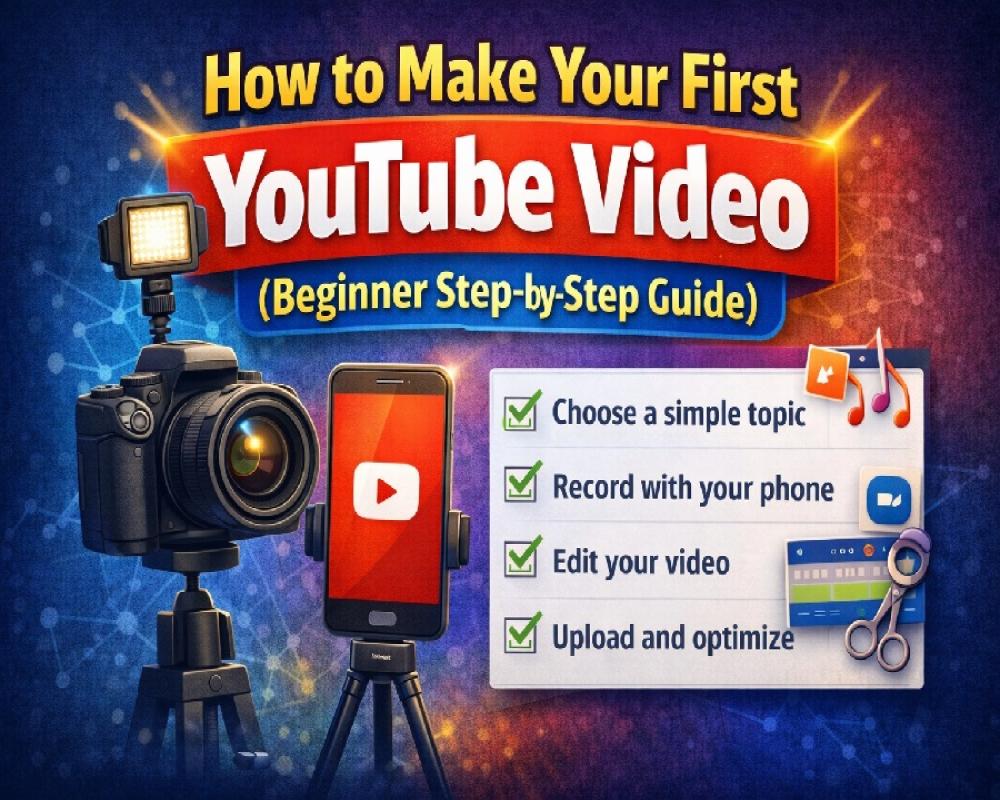
You've been thinking about starting a YouTube channel for months. Maybe years.
You watch other creators and think "I could do that." But then you stop yourself. You don't have a fancy camera. You've never edited a video. What would you even say?
So you wait. And wait. And nothing happens.
Here's the truth: most people who want to start YouTube never upload their first video. They overthink it, wait for perfect conditions, and talk themselves out of trying.
This guide eliminates the confusion. You'll learn exactly how to make your first YouTube video—even if you've never touched a camera or editing software before.
No expensive equipment needed. No technical background required. Just a simple, step-by-step process to go from idea to published video.
By the end of this article, you'll know what equipment you actually need (hint: probably just your phone), how to record without looking awkward, how to edit using free tools, and how to upload your video so people can actually find it.
Your first video won't be perfect. But it will exist. And that puts you ahead of 99% of people who never start.
Quick Summary
✅ You can start YouTube with just a smartphone and free editing software
✅ Choose a simple, search-based topic for your first video
✅ Plan a basic structure: hook, main content, call-to-action
✅ Use natural window light and record in a quiet room
✅ Edit using free tools like CapCut, iMovie, or DaVinci Resolve
✅ Optimize your video with a searchable title, description, and custom thumbnail
✅ Don't expect viral success—focus on consistent uploads and improvement
What Do You Need to Make Your First YouTube Video?
The biggest myth about YouTube is that you need expensive equipment to start.
You don't.
Professional creators have $5,000 camera setups because they've been doing this for years and it's their job. You're making your first video. Your needs are completely different.
Here's what you actually need—and what you can skip.
Basic Equipment for Beginners
A smartphone or basic camera:
Your phone camera is good enough. If you have an iPhone from the last 5 years or any recent Android, you can record high-quality video.
Don't have a smartphone? A basic webcam works too. Even older laptops have built-in cameras that can handle your first videos.
The camera quality doesn't matter as much as you think. Content matters more.
Natural lighting:
You don't need studio lights. Position yourself facing a window during daytime. Natural light is free and looks great.
Avoid sitting with a window behind you—that creates a dark silhouette. Face the light source instead.
A quiet room:
Find a room with minimal background noise. No major traffic sounds, loud fans, or echo-heavy spaces.
Your phone's built-in microphone can work for your first videos if you record in a quiet environment. Just speak clearly and close to your device.
Free editing software:
You'll need to edit your video, but you don't need to pay for software.
Free options that work great for beginners:
- CapCut (mobile and desktop) – easiest for complete beginners
- iMovie (Mac/iPhone) – simple and included with Apple devices
- DaVinci Resolve (desktop) – professional-level tool, free version is powerful
- Clipchamp (Windows) – built into Windows 11, simple interface
Pick one and stick with it. Learning basic editing takes a few hours, not weeks.
A YouTube account:
Create a Google account if you don't have one. Then go to YouTube and create your channel. This takes 5 minutes.
That's it. That's everything you need to start.
Optional Tools (If Budget Allows)
If you have $50–$200 to invest later, these upgrades help—but skip them for your first video:
Lavalier microphone ($20–$50):
A clip-on mic improves audio quality significantly. Audio matters more than video quality, so this is the best first upgrade.
Good budget options: Boya BY-M1, PowerDeWise lavalier mic
Ring light ($30–$60):
Provides consistent lighting when natural light isn't available or if you record at night.
Basic tripod ($15–$30):
Keeps your phone stable. You can also prop your phone against books or use a phone stand initially.
Editing keyboard shortcuts:
Free, but learn 3–5 shortcuts in your editing software. Speeds up editing by 50%.
Remember: millions of successful YouTube videos were filmed on phones with no extra equipment. Start simple. Upgrade later if you stick with it.
Step 1: Choose a Simple Topic for Your First Video
Your first video topic should be simple, specific, and search-friendly.
Don't try to create a viral masterpiece. Focus on helping someone solve a small, specific problem.
How to find a good first video topic:
Open YouTube and start typing questions in the search bar. Watch what autocomplete suggests.
Example searches:
- "how to..."
- "what is..."
- "why does my..."
These suggestions are real searches from real people. That means guaranteed audience interest.
Good first video topics:
- "How to change a tire step by step"
- "How to make scrambled eggs for beginners"
- "What to pack for a weekend camping trip"
- "5 tips for studying effectively"
- "How to set up a new iPhone"
Bad first video topics:
- "My life story" (too broad, not searchable)
- "Random vlog" (no clear value)
- "Trying viral TikTok trend" (oversaturated)
The one-problem rule:
Your first video should solve exactly one problem or teach exactly one thing.
Not "10 cooking tips." Just "How to dice an onion without crying."
Not "Everything about budgeting." Just "How to start a simple budget spreadsheet."
One topic. One video. Simple focus.
Use your own experience:
What have you learned recently? What do friends ask you about? What skills do you have that feel basic to you but might help someone else?
Your "obvious" knowledge is valuable to beginners in that area.
Example:
You learned how to fix a leaky faucet last month. You're not a plumber, but you figured it out. That's a perfect first video: "How I fixed a leaky faucet with no experience."
Your perspective as a beginner helping beginners is actually an advantage. You remember what confused you. You explain things more simply than experts do.
Validate your topic:
Before recording, search your exact topic on YouTube.
Check the results:
- Are there videos on this topic? (proves demand)
- Are small channels getting views? (proves you can compete)
- Are the top videos recent? (proves ongoing interest)
If yes to all three, you have a winner.
[Internal link: How to choose a profitable YouTube niche for beginners]
Step 2: Plan Your Video Using a Simple Structure
Don't record without a plan. But don't over-plan either.
A simple structure keeps you on track without sounding scripted.
Basic video structure:
1. Hook (first 10–20 seconds):
Tell viewers exactly what they'll learn and why they should keep watching.
Bad hook: "Hey guys, welcome back to my channel..."
Good hook: "I'm going to show you how to tie a tie in under 60 seconds, even if you've never done it before."
The first 10 seconds determine if people stay or leave. Make them count.
2. Quick introduction (5–10 seconds):
Briefly introduce yourself if it's your first video.
"I'm [name], and I just learned this last week, so I know exactly where beginners struggle."
Keep it short. People came for the solution, not your bio.
3. Main content (80% of video):
Deliver what you promised. Stay focused on the one topic.
Break it into clear steps:
- Step 1: Do this
- Step 2: Do this
- Step 3: Do this
Use the actual words "step 1," "step 2" so viewers can follow easily.
4. Quick recap (optional, 10–15 seconds):
Summarize the key points if your video has multiple steps.
"So to recap: gather your supplies, start with the wide end, and practice twice before your event."
5. Call-to-action (last 10 seconds):
Tell viewers what to do next.
Examples:
- "Try this method and let me know how it worked in the comments"
- "Subscribe if you want more beginner tutorials like this"
- "Check out my next video where I show you [related topic]"
Don't beg for likes. Just give a simple next step.
Mini example outline:
Topic: "How to make perfect scrambled eggs"
- Hook: "I'll show you the one mistake that ruins scrambled eggs and how to fix it"
- Intro: "I'm Sarah, and I burned eggs for years until I learned this method"
- Step 1: Use medium-low heat, not high heat
- Step 2: Whisk eggs with a splash of milk
- Step 3: Stir constantly but slowly
- Step 4: Remove from heat while slightly wet
- Recap: "Low heat, constant stirring, remove early"
- CTA: "Try this tomorrow morning and comment your results"
Total length: 3–5 minutes. Perfect for a first video.
Should you script or bullet point?
For your first video, use bullet points—not a full word-for-word script.
Scripts make you sound robotic. Bullet points keep you on track while sounding natural.
Write down:
- Your hook (word-for-word)
- Your main points (bullets)
- Your call-to-action (word-for-word)
Then talk naturally through the middle sections.
Step 3: Set Up Your Recording Space at Home
You don't need a studio. You need a clean, quiet corner.
Lighting setup (the easy way):
Face a window during daylight hours. That's it.
Position yourself so the window light hits your face. Not behind you, not to the extreme side—in front of you or slightly angled.
No window available?
Turn on all the lights in the room. Use lamps to brighten your face. The goal is to avoid dark shadows.
If you record at night regularly, consider a $30 ring light as your first equipment purchase. But natural window light is free and looks better than cheap lights.
Background tips:
Your background should be clean and simple.
Good backgrounds:
- Plain wall
- Bookshelf (not messy)
- Tidy room corner
- Outdoors in good lighting
Bad backgrounds:
- Messy bedroom with clothes everywhere
- Distracting posters or bright colors
- People walking around behind you
Reducing background noise:
Close windows if you hear traffic. Turn off fans, AC, or humming appliances.
Tell people you live with that you're recording for 10 minutes. Most background noise comes from household sounds you can control.
Record during quieter times of day if possible.
Phone/camera positioning:
If using your phone:
- Prop it against a stack of books or use a cheap phone stand
- Position it at eye level (not looking down or up at you)
- Keep it about 2–4 feet away from you
If filming yourself talking, you should fill about 60% of the frame. Not tiny in the distance. Not extreme close-up.
Test before recording:
Do a 30-second test recording.
Watch it back and check:
- Can you see your face clearly?
- Can you hear yourself without straining?
- Is the background acceptable?
- Are there distracting noises?
Fix any issues before recording your full video.
Step 4: Record Your First YouTube Video
This is where most beginners freeze up.
You've planned everything. Your setup is ready. Now you have to actually talk to a camera.
Here's how to make it less awkward.
Camera confidence tips:
Pretend you're talking to one person:
Don't imagine thousands of viewers. Imagine explaining this to one friend who asked for help.
Talk like you're having a conversation, not giving a presentation.
It's okay to make mistakes:
You'll stumble over words. You'll forget what you were saying. You'll say "um" too much.
That's normal. Keep recording. You can edit out mistakes later or just leave them in—perfection isn't required.
Read your bullet points before each section:
Don't try to memorize everything. Record in chunks.
Look at your notes. Start recording. Deliver that section. Stop. Check your notes again. Record the next part.
You don't have to do it all in one perfect take.
Recording workflow:
- Hit record
- Take a breath
- Deliver your hook
- Stop recording
Review that clip. If it's terrible, delete and try again. If it's acceptable, move on.
- Hit record again
- Deliver your main content section
- Stop recording
Repeat until you've covered all your points.
Recording in chunks reduces pressure and makes editing easier.
Common recording mistakes to avoid:
Talking too fast:
Nerves make you rush. Intentionally slow down. Pause between sentences.
Speaking too quietly:
Project your voice slightly more than normal conversation. Imagine talking to someone across a room.
Looking away from the camera constantly:
It's fine to glance at notes, but maintain eye contact with the lens most of the time.
Apologizing on camera:
Don't say "sorry, I'm not good at this" or "this is my first video so it's probably bad." Just deliver your content confidently.
What to do when you mess up:
Pause for 2 seconds. Then start that sentence again from the beginning.
In editing, you'll cut out the mistake. The pause makes it easy to find and remove.
Don't stop the entire recording over one fumbled word. Just pause, restart the sentence, and keep going.
How many takes should you do?
For your first video, 2–3 full attempts is normal.
Take 1: You'll probably feel awkward and make lots of mistakes.
Take 2: You'll be more comfortable and deliver better.
Take 3: If needed, but don't overthink it.
If you're on take 7 and still unhappy, you're overthinking. Use the best version you have and move forward.
Your tenth video will be better than your first. That's how improvement works.
Step 5: Edit Your Video Using Free Tools
Editing sounds complicated. It's not.
For your first video, you only need to learn 4 basic skills:
- Cutting out mistakes
- Adding simple text
- Trimming the beginning and end
- Exporting the file
Beginner-friendly editing software:
CapCut (easiest for complete beginners):
Available on phone and computer. Drag-and-drop interface. Tons of free templates.
Best for: Quick edits on your phone or simple desktop editing.
iMovie (for Mac/iPhone users):
Clean interface, easy to learn, completely free.
Best for: Apple users who want simple, straightforward editing.
DaVinci Resolve (free, powerful):
Professional-level software with a learning curve. Free version has more features than most paid editors.
Best for: People willing to watch a 20-minute tutorial to learn the basics.
Clipchamp (for Windows 11):
Built into Windows 11. Browser-based option also available. Simple drag-and-drop editing.
Best for: Windows users who want something ready to go.
Pick one. Download it. Watch one "beginner tutorial" video on YouTube for that specific software.
Seriously—one 15-minute tutorial will teach you everything you need for your first video.
Basic editing workflow:
1. Import your video clips:
Drag your recorded files into your editing software.
2. Arrange clips on the timeline:
Place them in order. Your editing software has a "timeline" at the bottom where you drag clips.
3. Cut out mistakes:
Find the parts where you messed up (you paused for 2 seconds, remember?). Select that section and delete it.
Most editors use the "razor" or "split" tool. Click where you want to cut, split the clip, delete the bad section.
4. Trim dead space:
Remove long pauses, "ums," and extra silence. Keep a natural pace.
Don't edit out every single breath or pause—that sounds robotic. Just remove awkward dead air.
5. Add text if helpful:
Add your video title at the beginning. Add step numbers if you're showing a process.
Keep text simple. Large, readable font. Don't overdo effects.
6. Check the audio:
Make sure your voice is clear and at a consistent volume.
If parts are too quiet, most editors have a volume adjustment tool. Boost those sections.
7. Add a simple end screen:
Create a final slide that says "Thanks for watching" and "Subscribe for more [your topic]."
Keep it on screen for 5–8 seconds.
Simple editing checklist:
☐ Removed obvious mistakes and long pauses
☐ Trimmed extra footage from beginning and end
☐ Added text for intro/title
☐ Checked that audio is clear throughout
☐ Added simple end screen
☐ Watched full video once to catch any remaining issues
You don't need fancy transitions, background music, or complex effects. Just clean, clear editing.
Export settings (important):
When you're done editing, you need to export the video file.
Standard export settings for YouTube:
- Resolution: 1080p (or whatever you recorded in)
- Format: MP4
- Frame rate: Same as your recording (probably 30fps or 60fps)
- Quality: High (but not maximum—keeps file size reasonable)
Most software has a "YouTube" preset. Use that if available.
Export time depends on your video length and computer speed. A 5-minute video might take 5–15 minutes to export.
Be patient. Once it's done, you'll have a final video file ready to upload.
[Internal link: Best free video editing software for YouTube beginners]
Step 6: Upload and Optimize Your First Video
You've recorded. You've edited. Now it's time to actually publish.
Here's how to upload your first YouTube video and optimize it so people can find it.
Upload process:
- Go to YouTube.com and sign in
- Click the camera icon with a + (top right)
- Select "Upload video"
- Drag your video file or click to browse
- While it uploads, you'll fill out details
Writing a searchable title:
Your title should include the exact words people search for.
Title formula:
[What they'll learn] + [qualifier]
Examples:
- "How to Tie a Tie for Beginners (Step-by-Step)"
- "Perfect Scrambled Eggs Recipe (Easy Method)"
- "Change a Tire in 5 Minutes (Complete Guide)"
Title rules:
- Include your main keyword naturally
- Keep it under 60 characters (shows fully in search)
- Make it clear and specific
- Don't use all caps or excessive punctuation
Bad title: "MY FIRST VIDEO!!! (please watch)"
Good title: "How to Make French Press Coffee (Beginner Guide)"
Writing a simple description:
First 2–3 lines are most important—they show in search results.
Start with a summary of what viewers will learn:
"In this video, I'll show you how to make French press coffee step-by-step. Perfect for beginners who want rich, flavorful coffee without expensive equipment."
Then add:
- Timestamps for different sections (if your video is over 5 minutes)
- Links to products mentioned (if any)
- Links to your social media (optional)
Keep it straightforward. You don't need a novel.
Choosing tags:
Tags help YouTube understand your video topic.
Add 5–10 relevant tags:
- Your main keyword
- Related keywords
- Broader category terms
Example tags for a tire-changing video:
- how to change a tire
- change flat tire
- tire change tutorial
- roadside emergency
- car maintenance
Don't spam tags. Quality over quantity.
Selecting a thumbnail:
YouTube auto-generates 3 thumbnail options from your video. For your first video, these work fine.
Pick the clearest image where:
- Your face is visible and well-lit (if you're in the video)
- The image relates to your topic
- It's not blurry
Custom thumbnails (optional for first video):
If you want to create a simple custom thumbnail:
- Use Canva (free)
- Size: 1280 x 720 pixels
- Include large, readable text
- Use bright colors
- Keep it simple
But honestly? Auto-generated thumbnails are fine for your first upload. Focus on getting the video published.
Other settings:
- Visibility: Set to "Public" when ready
- Audience: Select if video is made for kids (probably not)
- Category: Choose the most relevant option
- Comments: Enable (you want engagement)
Hit "Publish."
Congratulations. Your first YouTube video is live.
Common Mistakes Beginners Make on YouTube
Let's address the mistakes that slow down most new creators.
Waiting for perfect equipment:
This is the biggest killer of YouTube channels that never start.
You convince yourself you need a $1,000 camera, professional lights, and a studio before recording.
Reality: Phone cameras are incredible now. Natural light is free. Your first 10 videos should focus on getting comfortable on camera—not cinematography.
Equipment doesn't make content good. Good content makes equipment look good.
Copying big creators exactly:
You watch creators with millions of subscribers and try to replicate their style, thumbnails, and topics.
But they're playing a different game. They have audiences. They can post vlogs and get views.
You need search-based content that people actively look for. Follow the strategy that works for beginners, not the strategy that works for established channels.
Ignoring search-based content:
Random vlogs, challenges, and "day in my life" videos don't get discovered.
Searchable tutorials, how-tos, and solutions get found by new viewers.
Your first 20–50 videos should primarily be search-based until you build an audience.
Expecting viral results:
You publish your first video and check the view count every hour.
27 views. 31 views. 45 views.
You feel disappointed and consider quitting.
Stop it. Your first video won't go viral. Your tenth probably won't either. That's completely normal.
Success on YouTube is cumulative. Each video adds to your library. Old videos continue getting views months and years later.
Giving up after 5 videos:
Most people quit after 3–10 videos because they're "not growing fast enough."
That's like going to the gym twice and being upset you're not muscular yet.
Commit to 50 videos minimum before judging results. That's 6 months of weekly uploads or 3 months of twice-weekly uploads.
Most successful channels didn't see real traction until video 30–100.
Not watching their own videos:
You record, upload, and never watch your own content.
Big mistake.
Watch your videos like a viewer. Notice what works and what doesn't. Where do you lose energy? Where do you ramble? What could be clearer?
Every video is practice. But practice doesn't help if you don't analyze what to improve.
Obsessing over subscriber count:
Subscriber count is a vanity metric early on.
10 engaged subscribers who watch every video are worth more than 100 subscribers who never watch.
Focus on watch time, average view duration, and click-through rate. These metrics actually matter for growth.
Comparing themselves to others:
You see someone who started 3 months ago and already has 10K subscribers.
You feel like a failure.
Stop comparing. You don't know their full story. Maybe they had an existing audience. Maybe they got lucky. Maybe they've been working on this behind the scenes for a year.
Your only competition is yourself yesterday. Are you improving? That's all that matters.
[Internal link: YouTube analytics guide for beginners]
How to Get Views on Your First YouTube Video
Let's be realistic: your first video probably won't get many views initially.
But here's how to give it the best chance and build momentum for future videos.
Focus on search-based content:
People searching for solutions have intent. They're actively looking for help.
Create videos that answer specific questions:
- "How to fix a squeaky door hinge"
- "What to wear for a job interview"
- "How to set up a budget spreadsheet"
These get discovered through search, not luck.
Improve your thumbnails:
Even with auto-generated thumbnails, pick the clearest, most relevant image.
As you make more videos, learn basic thumbnail design using Canva. Custom thumbnails significantly improve click-through rates.
Elements of good thumbnails:
- Clear, readable text (3–5 words max)
- Bright, contrasting colors
- Faces with expressions (if showing yourself)
- Simple composition (not cluttered)
Stay consistent:
One video won't build a channel. Ten videos start to show a pattern. Fifty videos create a library.
Commit to a schedule:
- Weekly uploads minimum
- Same day each week if possible
- Don't break the streak for at least 3 months
Consistency signals to YouTube that you're serious. The algorithm favors active channels.
Analyze what works:
After your first 5–10 videos, check YouTube Analytics.
Look for:
- Which videos have the highest click-through rate?
- Which videos have the best average view duration?
- Where do people drop off in your videos?
- Which topics get more impressions?
Double down on what works. Adjust what doesn't.
Engage with your audience:
Reply to every comment in your first 50 videos. Yes, every single one.
This builds community, encourages more comments, and signals engagement to YouTube's algorithm.
Ask questions in your videos to encourage comments:
- "Have you tried this method? Let me know in the comments."
- "What topic should I cover next?"
Promote strategically (not desperately):
Share your video in relevant communities where it adds value:
- Reddit communities related to your topic (check rules first)
- Facebook groups where your solution helps members
- Twitter/X with helpful context
Don't spam. Share when your video genuinely helps answer someone's question.
Be patient but persistent:
Views compound over time. A video that gets 50 views in week one might get 500 views by month three.
Your channel's total views grow as your library expands. Video 1 + Video 2 + Video 3 + ... = increasing traffic.
Most channels see a "tipping point" around 20–50 videos where growth accelerates. But only if you don't quit before reaching it.
Frequently Asked Questions
What should I say in my first YouTube video?
In your first YouTube video, introduce yourself briefly (10–15 seconds), explain what viewers will learn, then deliver that content. Focus on solving one specific problem rather than giving your life story. A simple structure: "I'm [name], and today I'm showing you how to [skill]. Let's get started." Then teach the skill step-by-step.
Can I start YouTube with just a phone?
Yes, you can absolutely start YouTube with just a smartphone. Modern phones record high-quality video that's more than good enough for beginners. Position your phone at eye level, use natural window light, record in a quiet room, and edit using free mobile apps like CapCut or iMovie. Thousands of successful YouTubers started with nothing but a phone.
How long should my first YouTube video be?
Your first YouTube video should be 3–8 minutes long. This is long enough to deliver real value but short enough to keep viewer attention. Don't artificially extend videos to hit 10 minutes. Focus on being concise and helpful. As you improve, you'll naturally develop a sense for ideal length based on your topic and audience retention data.
How many videos should I upload before quitting?
Upload at least 50 videos before deciding whether YouTube works for you. Most successful creators didn't see meaningful growth until 30–100 videos. Posting 5 videos and quitting because "nothing happened" doesn't give you a fair test. Commit to 6 months of consistent weekly uploads. Then evaluate your progress honestly.
How long does it take to grow a YouTube channel?
Growing a YouTube channel typically takes 6–12 months of consistent posting to reach 1,000 subscribers and meaningful view counts. Some channels grow faster with viral content or existing audiences, but this is rare. Realistic timeline: 3 months to see early traction, 6 months to hit first milestones, 12+ months to build sustainable growth. Patience and consistency matter more than speed.
Final Thoughts: Start Before You Feel Ready
You've learned everything you need to make your first YouTube video.
Now comes the hard part: actually doing it.
Here's what usually happens next. You close this article. You feel motivated for about 3 hours. Then doubt creeps back in.
"Maybe I should wait until next week when I have more time."
"I should probably buy better equipment first."
"What if people think it's terrible?"
Stop.
These are excuses disguised as logic. You don't need more time, better gear, or guaranteed success.
You need one video published. That's it.
Your action plan for this week:
Day 1–2: Choose your topic using YouTube search autocomplete. Write down your bullet points.
Day 3: Set up your recording space. Do a test recording. Watch it back.
Day 4: Record your full video. Don't aim for perfection. Aim for completion.
Day 5: Edit your video using free software. Keep it simple.
Day 6: Upload and optimize. Fill out title, description, and tags.
Day 7: Publish. You're officially a YouTuber.
Seven days. One video. Then you start on video two.
Why your first video matters (even if it's not great):
Your first video breaks the mental barrier. You prove to yourself you can actually do this.
Your tenth video will be better than your first.
Your fiftieth will be better than your tenth.
Your hundredth will be better than your fiftieth.
But none of that happens if you never post video one.
The real competition:
You're not competing with established YouTubers who've made 500 videos.
You're competing with the version of yourself who talks about starting YouTube but never actually does it.
Be the person who starts. Be the person who publishes imperfect videos and improves over time.
Most people won't. That's your advantage.
One final thought:
One year from now, you'll have one of two channels:
- Zero subscribers, zero videos, and regret about never starting
- 50+ videos, growing momentum, and proof that you can build something
The choice is yours. But the choice only matters if you take action today.
Make your first YouTube video this week. It doesn't have to be perfect. It just has to exist.
Now stop reading and start recording.
YouTube monetization requirements explained
How to get your first 1000 subscribers on YouTube]
YouTube Monetization Tips and Secrets
0 Comments