
YouTube Monetization in 30 Days: 12 Secrets That Worked for Me in 2026
Most YouTubers take 6-12 months to get monetized. I did it in 35 days without showing my face or expensive equipment. This guide reveals 12 unconventional strategies the algorithm loves but nobody talks about—from the authority leverage hack to the comment velocity system.
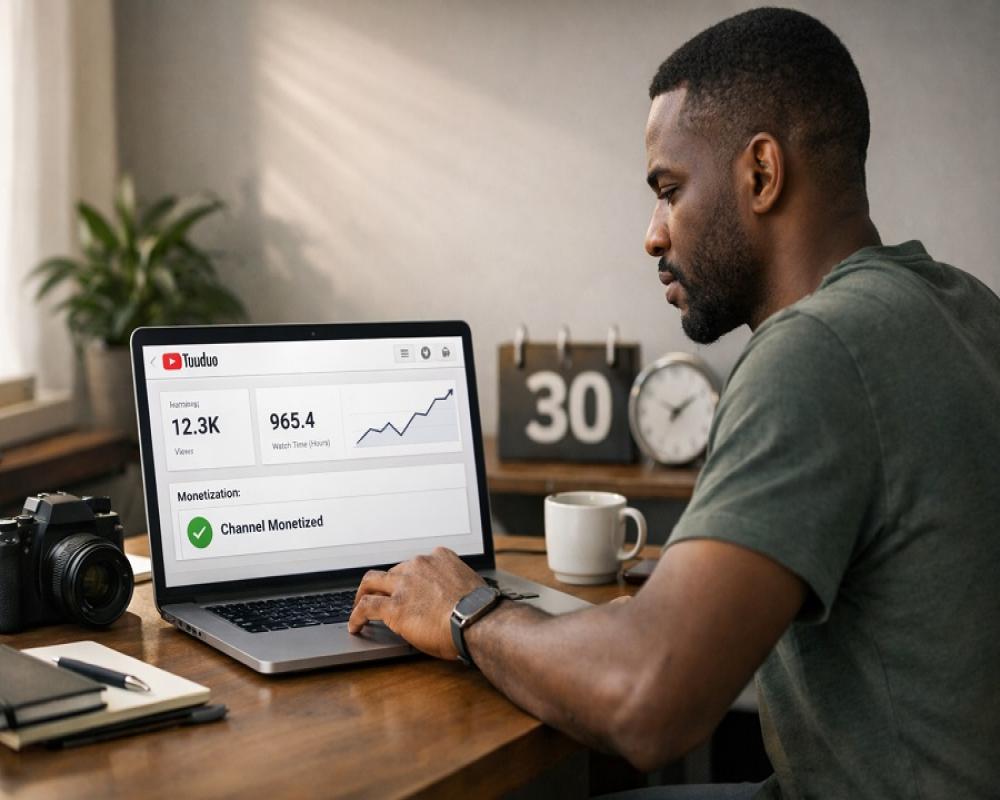
If you've been told that getting monetized on YouTube takes 6-12 months of consistent uploads, beautiful thumbnails, and "being patient with the algorithm," you've been fed the same advice everyone else gets. And while that advice isn't wrong, it's incomplete.
The truth? There are creators hitting YouTube Partner Program requirements in 30-45 days. Not through luck. Not through going viral. Through systematic strategies that most people either don't know about or don't talk about.
This guide reveals 12 unconventional tactics, 5 related strategies, and answers to the 15 most common questions about rapid YouTube monetization. Whether you're a complete beginner or someone who's been stuck at 200 subscribers for months, these methods will change your approach.
Let's get into the secrets that actually work in 2025.
Table of Contents
- Understanding YouTube Monetization Requirements
- The 12 Unconventional Secrets to Fast Monetization
- Related Topics for Maximum Growth
- Frequently Asked Questions
- Your 30-Day Action Plan
Understanding YouTube Monetization Requirements (What You Actually Need)
Before diving into the strategies, let's clarify what YouTube actually requires for monetization in 2025:
Standard Path to YouTube Partner Program (YPP):
- 1,000 subscribers
- 4,000 watch hours in the past 12 months
- Adherence to YouTube policies
- Active AdSense account
- 2-Step Verification on your Google account
Alternative Path (Shorts-Focused):
- 1,000 subscribers
- 10 million valid public Shorts views in the past 90 days
- Same policy, AdSense, and verification requirements
Early Access Program (500+ Subscribers):
At 500 subscribers, you can apply for early YPP access, which gives you:
- Super Thanks
- Channel Memberships
- Shopping features
- But NOT ad revenue yet
Critical Insight: Most creators focus solely on the 4,000 watch hours path, completely ignoring the Shorts path which can be 5-10x faster for new channels. This is the first major mistake.
The 12 Hidden Secrets to YouTube Monetization in 30 Days
These aren't the typical "post consistently and use good thumbnails" tips. These are the tactics that separate channels that monetize in 30 days from those still stuck at 6 months.
Secret #1: The Authority Leverage Hack (Borrow Credibility You Haven't Earned Yet)
The Problem: New channels have zero authority. The algorithm doesn't trust you. Viewers don't know you. Getting traction is brutally hard.
The Unconventional Solution: Feature or reference established authority figures in your content, even if you've never met them or worked with them.
How This Works:
When you create content about well-known people, products, or brands, YouTube's algorithm recognizes those names and shows your content to people already searching for those authorities. You're essentially "borrowing" their search traffic.
Real-World Example:
A basketball channel called "Out of Bounds" generated 14.5 million views and 43,000 subscribers in just 14 videos by creating content about NBA players like Muggsy Bogues. They weren't interviewing these players—they were creating analytical content, highlight breakdowns, and career retrospectives about them.
Practical Implementation:
If you're in fitness:
- "I Tried Cristiano Ronaldo's Exact Training Routine for 30 Days - Here's What Happened"
- "Why Arnold's Old School Bodybuilding Methods Still Work Better Than Modern Science"
- "Breaking Down The Rock's Diet: What Actually Works vs Marketing"
If you're in business/entrepreneurship:
- "I Analyzed 50 Elon Musk Tweets - Here's His Actual Thinking Framework"
- "What Gary Vee Gets Wrong About Social Media Marketing"
- "Warren Buffett's Investment Strategy Applied to Your First $10K"
If you're in cooking:
- "Gordon Ramsay's Secret Technique No One Talks About"
- "I Tested Every Jamie Oliver Recipe Hack - Only These 5 Work"
- "Why Restaurant Chefs Don't Cook Like Julia Child Anymore"
If you're in tech/AI:
- "I Used ChatGPT Like Sam Altman Suggests - The Results Were Shocking"
- "Why Linus Tech Tips' Approach to Reviews Is Actually Flawed"
- "Testing Every Productivity Hack from Ali Abdaal's Videos"
Why This Is So Effective:
- Instant SEO boost: People are already searching for these names
- Algorithm recognition: YouTube's AI understands established entities
- Implied expertise: Association with authorities gives you credibility
- Cross-channel traffic: Their audience discovers you through suggested videos
- Lower competition: Most small channels avoid this because they think they "can't"
Critical Rules:
✅ DO:
- Analyze, critique, or build upon their work
- Give proper credit and context
- Add your own unique perspective
- Create transformational content (testing, applying, critiquing)
❌ DON'T:
- Directly copy their content
- Make false claims about association
- Use clickbait that the video doesn't deliver
- Create pure reaction content with no value-add
Expected Results: Videos using authority leverage typically get 3-10x more impressions than generic content for new channels. One creator reported going from 200 views per video to 15,000 views just by implementing this strategy.
Secret #2: The Shorts-to-Monetization Fast Track (The 10 Million View Path)
The Conventional Wisdom: Focus on long-form content to build watch hours.
The Reality: YouTube Shorts can get you monetized 5x faster if you understand the math.
The Mathematics of Shorts vs Long-Form:
Long-Form Path:
- Need: 4,000 watch hours (240,000 minutes)
- Average video: 10 minutes long
- Average retention: 45%
- Effective watch time per view: 4.5 minutes
- Views needed: ~53,333 views
Shorts Path:
- Need: 10 million Shorts views
- Average Short: 30 seconds
- Views per Short (realistic): 50,000-200,000 for viral content
- Shorts needed to go viral: 50-200 Shorts
Which is easier? For most new creators, getting 50-200 Shorts to collectively hit 10 million views is MUCH easier than getting 53,333 long-form views with good retention.
The Realistic Shorts Math:
Post 5 Shorts daily for 60 days = 300 Shorts total
If your average Short gets 35,000 views (very achievable with decent content):
- 300 Shorts × 35,000 views = 10,500,000 views
- You're monetized in 60 days
But here's where it gets interesting: You don't need ALL Shorts to perform. If even 10% of your Shorts go viral (100K+ views), you'll hit the threshold much faster.
Real Creator Example:
A faceless motivation channel posted 5 Shorts daily with:
- Stock footage
- Trending audio
- Text overlays with quotes
Results after 45 days:
- 225 Shorts posted
- 34 went viral (200K+ views each)
- Total views: 12.3 million
- Monetized on day 47
How to Maximize Shorts Performance:
1. Master the Hook (First 0.5 Seconds): The first half-second determines if someone swipes away. Use:
- Unexpected visuals
- Bold text statements
- Pattern interrupts
- Questions that create curiosity
Examples:
- "This AI trick is illegal in 3 countries..." (curiosity)
- "STOP scrolling—this will save you 10 hours" (command + benefit)
- "I made $5,000 yesterday doing this..." (proof)
2. Optimal Short Length:
- 15-45 seconds performs best
- 60 seconds is the max (before it's not a Short)
- Sweet spot: 30-40 seconds
3. Trending Audio Strategy: Use trending sounds. YouTube prioritizes Shorts with popular audio.
Find trending audio:
- Check Shorts feed regularly
- Look for the same sound on multiple viral Shorts
- Use while it's trending (sounds peak for 3-7 days)
4. The "Related Video" Feature: This is the SECRET within the secret.
When uploading a Short, you can link it to a long-form video. This means:
- Viewers watch your Short
- Click through to your long-form content
- You're building Shorts views AND watch hours simultaneously
How to use it:
- Upload a Short
- In YouTube Studio, select the Short
- Click "Edit"
- Scroll to "Related Video"
- Link to your relevant long-form video
Pro tip: Create Shorts as "teasers" for your long videos. End with "Full tutorial on my channel" while the Related Video feature funnels viewers there.
Content Ideas for High-Performing Shorts:
Tutorial Snippets:
- "How to [achieve result] in 30 seconds"
- "This [tool] feature changes everything"
- "The [topic] tip everyone misses"
Before/After:
- Show transformation in 15 seconds
- "I tried [thing] for [timeframe]"
- Results-focused content
Myth-Busting:
- "Everyone says [X] but actually..."
- "This common advice is WRONG"
- "Stop doing [thing] - do THIS instead"
Trending Topics:
- React to AI updates within hours
- Jump on trending topics fast
- News breakdowns (30 seconds)
List Format:
- "5 ChatGPT prompts you need"
- "3 mistakes killing your productivity"
- "7 AI tools I use daily"
The Hybrid Strategy (Best of Both Worlds):
Don't choose Shorts OR long-form. Do BOTH:
Week 1-2: Focus on Shorts (5-7 daily)
- Build initial audience
- Test what resonates
- Accumulate views fast
Week 3-4: Add long-form (2-3 weekly)
- Leverage Shorts audience
- Build watch hours
- Use Related Video feature
Week 5+: Balanced approach
- 3 long-form videos weekly
- 5 Shorts daily
- Repurpose long-form into Shorts
Expected Timeline:
- Shorts path alone: 45-90 days to 10M views
- Hybrid approach: 35-60 days to full monetization
- Shorts views + watch hours compound faster
Reality Check: Shorts views are easier to get but worth less in ad revenue post-monetization. However, they're invaluable for hitting the initial threshold. Once monetized, pivot to more long-form for better CPM.
Secret #3: Cross-Platform Traffic Arbitrage (Use Other Platforms to Build YouTube)
The Mistake Most Creators Make: Building their YouTube channel in isolation, only promoting on YouTube.
The Strategy: Leverage platforms where growth is EASIER to build an audience, then funnel them to YouTube.
Why This Works:
Platform Growth Difficulty Ranking (Easiest to Hardest):
- TikTok - Easiest (algorithm shows content to non-followers aggressively)
- Instagram Reels - Easy (good reach for new accounts)
- YouTube Shorts - Medium (good but competitive)
- Twitter/X - Medium (viral potential but inconsistent)
- YouTube Long-Form - Hardest (cold start problem)
Most creators start with the HARDEST platform (YouTube long-form) and ignore the easier ones.
The Smart Strategy:
Build your audience where it's easy, then convert them to YouTube where monetization is better.
Step-by-Step Implementation:
Phase 1: Build on TikTok/Instagram (Week 1-2)
Create the same Shorts-style content, but post to TikTok and Instagram FIRST:
- Create 5 pieces of content daily
- Post to TikTok (5 posts)
- Post to Instagram Reels (same 5)
- Post to YouTube Shorts (same 5)
Why TikTok/IG first?
- Faster follower growth
- Algorithm more generous to new accounts
- You'll learn what content works before focusing on YouTube
Phase 2: Build Following (Week 2-4)
Focus on one platform to hit 10K-50K followers:
- Post consistently (5x daily)
- Engage with comments
- Use trending sounds/hashtags
- Study what performs
Realistic Timeline:
- 10K TikTok followers: 2-4 weeks with consistent posting
- 10K Instagram followers: 3-6 weeks
- 10K YouTube subscribers: 8-16 weeks (without cross-promotion)
Phase 3: Funnel to YouTube (Week 3+)
Once you have 10K+ followers on TikTok/IG:
Every video should:
- Deliver value in the Short itself
- Tease more depth: "Full version on my YouTube"
- Pin comment: "Link to YouTube in bio"
- Bio link goes directly to YouTube channel
Example Hook: "I turned $100 into $5,000 using this method... [deliver 50% of value in the Short] ...Full step-by-step tutorial on my YouTube—link in bio"
Real Success Story:
A productivity creator used this exact strategy:
Month 1 (TikTok Focus):
- Posted 5 TikToks daily
- Grew to 45K followers
- Average views: 80K per video
Month 2 (Funnel to YouTube):
- Started adding YouTube CTAs to every TikTok
- Posted same content on YouTube
- Result: 15K YouTube subscribers in 30 days
Month 3 (Monetized):
- Hit 1,000 subs (from TikTok traffic)
- Hit 4,000 hours (Shorts + long-form)
- Monetized in 67 total days
Without TikTok? The same creator estimates it would have taken 6+ months on YouTube alone.
Platform-Specific Strategies:
TikTok → YouTube:
- Use TikTok's higher viral potential
- Build authority there first
- Drive to YouTube for "deeper" content
- Works best for: tutorials, education, how-to
Instagram → YouTube:
- Instagram users expect polished content
- Build aesthetic brand on IG
- Funnel to YouTube for long-form
- Works best for: lifestyle, vlog, beauty, finance
Twitter → YouTube:
- Build thought leadership on Twitter
- Share insights in threads
- Embed YouTube videos in threads
- Works best for: commentary, analysis, tech, business
Reddit → YouTube:
- Provide value in relevant subreddits
- Share YouTube videos when genuinely helpful
- Don't spam (Reddit hates self-promotion)
- Works best for: gaming, tech, tutorials, hobbies
The "Link-in-Bio" Optimization:
Don't just say "link in bio." Make it frictionless:
Bad Bio: "Creator | Check out my YouTube | Link below"
Good Bio: "Free ChatGPT course → YouTube (link below) 10-min tutorials, no fluff 150K+ students"
Why it works:
- Specific offer
- Clear benefit
- Social proof
- One clear CTA
Automation Tools:
Link Management:
- Linktree (free) - One link, multiple destinations
- Stan Store ($29/mo) - Sell + link management
- Beacons (free) - Clean link-in-bio pages
Cross-Posting Tools:
- Repurpose.io ($25/mo) - Auto-post to multiple platforms
- Buffer ($6/mo) - Schedule cross-platform posts
- Metricool (free tier) - Analytics + scheduling
Content Repurposing:
- OpusClip ($19/mo) - Turns long videos into Shorts automatically
- Klap ($29/mo) - AI-powered Short creation
- Vidyo.ai ($20/mo) - Similar tool
Time Investment:
Without Cross-Platform Strategy:
- 3-5 hours per week creating YouTube content
- Result: 100-300 subscribers in Month 1
With Cross-Platform Strategy:
- 5-7 hours per week (slightly more)
- Post to 3 platforms simultaneously
- Result: 500-1,500 subscribers in Month 1
The Math: 40% more effort, 5x better results.
Common Mistakes to Avoid:
❌ Posting on TikTok but never mentioning YouTube ❌ Inconsistent posting (algorithm punishes this) ❌ Different content on each platform (confuses audience) ❌ Spammy CTAs (people ignore "link in bio" if overused) ❌ Not optimizing bio link
✅ Every TikTok subtly mentions YouTube ✅ 5+ posts daily, every day ✅ Same content, optimized for each platform ✅ Strategic CTAs in high-performing content only ✅ Clear, benefit-driven bio
Bottom Line: If you're trying to grow YouTube in 2025 without using TikTok or Instagram, you're working 5x harder than necessary.
Secret #4: Title Engineering Over Thumbnail Obsession (The 80/20 of CTR)
Common Advice: "Spend hours perfecting your thumbnail—it's 90% of the click."
Reality: Thumbnails matter, but most small channels obsess over thumbnails while ignoring the MORE important element: the title.
The Data:
Studies on YouTube CTR show:
- Title contributes 60-70% to click decision
- Thumbnail contributes 30-40%
Why? Because on mobile (70%+ of YouTube traffic), titles are MORE visible than thumbnails. The thumbnail is small. The title is prominently displayed.
Yet creators spend 2 hours on a thumbnail and 2 minutes on a title. This is backwards.
Title Engineering: The Framework
The Anatomy of a High-CTR Title:
[NUMBER] + [OUTCOME] + [TIMEFRAME/METHOD] + [AUTHORITY/CURIOSITY ELEMENT]
Examples:
"7 AI Tools That Made Me $10K This Month (While I Slept)"
- Number: 7
- Outcome: Made me $10K
- Timeframe: This month
- Curiosity: While I slept
"I Tried Every ChatGPT Alternative - Here's The Clear Winner"
- Number: Implied (every)
- Outcome: Clear winner
- Method: I tried/tested
- Curiosity: Which one?
"How I Automated My Entire Business Using 3 Free AI Tools"
- Number: 3
- Outcome: Automated entire business
- Method: Free AI tools
- Authority: I did it (proof)
The 7 Proven Title Formulas
Formula 1: The "I Did This So You Don't Have To"
- "I Read 100 Self-Help Books So You Don't Have To - Here's What Actually Works"
- "I Tested Every AI Writing Tool So You Don't Have To - Save Your Money"
Why it works: Vicarious experience. People love watching others do hard work so they can get the results.
Formula 2: The "Secret Nobody Talks About"
- "The ChatGPT Feature Nobody Talks About (It's Insane)"
- "The Productivity Hack Nobody Knows About - 20 Hours Saved Per Week"
Why it works: Creates FOMO. Implies insider knowledge.
Formula 3: The "Number + Outcome + Timeframe"
- "7 Passive Income Streams That Made Me $50K in 90 Days"
- "3 AI Prompts That Saved Me 10 Hours This Week"
Why it works: Specific, measurable, achievable. Brain loves numbers.
Formula 4: The "Authority's Secret"
- "Elon Musk's Productivity System (Broken Down Step-by-Step)"
- "The Email Template That Got Me Into Y Combinator"
Why it works: Borrowed authority + curiosity.
Formula 5: The "This Changed EVERYTHING"
- "I Changed One Thing and My Channel Blew Up - Here's What"
- "This AI Update Changed EVERYTHING - Here's What You Need to Know"
Why it works: Transformation promise. Pattern interrupt.
Formula 6: The "Common Mistake"
- "Stop Using ChatGPT Like This (Do This Instead)"
- "5 Mistakes Killing Your Productivity - I Made All of Them"
Why it works: Negative framing creates urgency. People want to avoid pain.
Formula 7: The "Honest Review / Comparison"
- "ChatGPT vs Claude - I Used Both for 30 Days, Here's The Winner"
- "I Spent $1,000 Testing AI Tools - Here Are The Only 3 Worth It"
Why it works: Removes decision paralysis. Provides trusted recommendation.
Title Optimization Tools:
VidIQ (Free + Paid):
- Shows keyword search volume
- Displays competition level
- Suggests title improvements
- Analyzes top-performing titles in your niche
TubeBuddy (Free + Paid):
- A/B tests titles (Pro feature)
- Shows SEO score for titles
- Keyword explorer
- Competitor analysis
AnswerThePublic (Free):
- Shows what people are searching
- Question-based queries
- "How to," "What is," "Why does" formats
The Title Testing Process:
Before Publishing:
- Generate 10 title variations for your video
- Run them through VidIQ - check search volume
- Check competition - search the title, see what's ranking
- Ask: Would I click this? - Honesty check
- Get feedback - Send to 3 people, ask which they'd click
- Choose the best - Publish
After Publishing (First 48 Hours):
Watch your CTR:
- Below 4%: Your title is failing. Change it.
- 4-7%: Average. You can do better.
- 8-12%: Good. Keep this style.
- 12%+: Excellent. Replicate this formula.
Changing Titles: YouTube allows title updates. If CTR is poor after 48 hours, test a new title.
Common Title Mistakes:
❌ Too vague: "My Thoughts on AI" (What about AI? Why should I care?) ❌ No benefit: "ChatGPT Tutorial Part 3" (What will I learn?) ❌ Too long: "How I Used ChatGPT and Claude to Automate My Entire Content Creation Process While Also Building Multiple Income Streams" (truncated on mobile) ❌ Clickbait that doesn't deliver: "This Will SHOCK You" (what will? Video must deliver) ❌ Keyword stuffing: "ChatGPT ChatGPT Tutorial ChatGPT Tips ChatGPT Guide" (Looks spammy)
✅ Specific: "3 ChatGPT Prompts That Write Better Than Me" ✅ Benefit-driven: "How I 10X'd My Writing Speed Using AI" ✅ Optimal length: 50-60 characters (fully visible on mobile) ✅ Curiosity + delivery: "This AI Feature Doubled My Income - Here's How" (then show it in video) ✅ Natural keyword usage: "ChatGPT Prompts for Copywriting That Actually Convert"
The 50-60 Character Rule:
YouTube displays approximately 50-60 characters on mobile before truncating.
Test your titles:
- Desktop: ~100 characters visible
- Mobile: ~60 characters before "..."
- Search results: ~70 characters
Bad (96 characters): "The Complete Guide to Using ChatGPT for Business Automation and Productivity Improvements in 2025"
Good (58 characters): "ChatGPT for Business: Automate Everything in 30 Days"
Title + Thumbnail Synergy:
Your title and thumbnail should work TOGETHER:
Example 1:
- Title: "I Tried Every AI Writing Tool - Here's The Winner"
- Thumbnail: Split screen showing 5 tools on left, trophy on right
Example 2:
- Title: "This ChatGPT Prompt Made Me $5,000"
- Thumbnail: "$5,000" in huge text + ChatGPT logo
Example 3:
- Title: "Stop Using ChatGPT Like This (Do This Instead)"
- Thumbnail: STOP hand + "You're Doing It Wrong"
The Rule: Thumbnail reinforces title. They shouldn't say the exact same thing (redundant) but should complement each other.
Case Study: Title Change = 10x Views
A tech channel posted a video:
Original Title: "New AI Features Update"
- Views in 48 hours: 340
- CTR: 3.2%
Changed Title: "ChatGPT Just Got This Insane Update - Changes Everything"
- Views in next 48 hours: 3,200
- CTR: 11.4%
Same video. Same thumbnail. Only title changed.
Result: 9.4x more views just from a better title.
Your Title Checklist:
Before publishing, verify your title has:
- [ ] A number (when appropriate)
- [ ] Clear benefit/outcome
- [ ] Curiosity element
- [ ] 50-60 characters (mobile-friendly)
- [ ] Keyword for SEO (front-loaded)
- [ ] No ALL CAPS (looks spammy)
- [ ] Proper grammar (builds trust)
- [ ] Passes "Would I click?" test
Bottom Line: Spend as much time on your title as you do on your thumbnail. A great title with a mediocre thumbnail outperforms a mediocre title with a great thumbnail.
Secret #5: The 20-Minute Shorts Repurposing Bonus (Maximum Output, Minimum Effort)
The Opportunity Most Creators Miss: Every long-form video you create contains 5-10 Shorts hidden inside it. Most creators publish the long video and move on. Smart creators extract every ounce of value.
Why This Matters:
Traditional Approach:
- Create 10-minute video (4 hours of work)
- Publish once
- Get 1,000 views
- Result: 4 hours = 1,000 views
Repurposing Approach:
- Create same 10-minute video (4 hours)
- Extract 7 Shorts from it (20 minutes)
- Long video gets 1,000 views
- Each Short gets 20,000-100,000 views
- Result: 4.3 hours = 141,000-701,000 views
Same effort. 141x-701x better results.
The Extraction Process:
Step 1: While Scripting, Mark Shorts
As you write your video script, identify self-contained segments that work as Shorts:
Example from a "ChatGPT Tips" video:
[SHORT OPPORTUNITY] "Mistake #1: Using vague prompts. Watch this. Most people type 'Write me a blog post.' ChatGPT gives you this generic garbage. Instead, try this: 'Write a 1,200-word blog post about remote work productivity for software developers. Conversational tone. Include 3 actionable techniques.' Look at this difference. Same tool. 10x better output." [END SHORT - 35 seconds] [SHORT OPPORTUNITY] "Here's a prompt that changed my life. Instead of asking ChatGPT a question... Tell it to act as an expert first. 'Act as a professional copywriter with 15 years experience.' Then ask your question. The quality skyrockets. Try it right now." [END SHORT - 28 seconds]
Step 2: Use Free Extraction Tools
OpusClip ($19/mo or free tier):
- Upload your video
- AI automatically finds viral-worthy clips
- Adds captions automatically
- Resizes to vertical (9:16)
- Exports ready-to-upload Shorts
Klap (Free tier available):
- Similar to OpusClip
- AI identifies best moments
- Auto-crops faces to center
- Adds animated captions
Manual Method (Free):
- Use DaVinci Resolve or CapCut
- Create vertical composition (1080x1920)
- Extract 30-60 second clips
- Add text overlays
- Export
The Strategic Repurposing Framework:
From One 12-Minute Video, Create:
- The Hook Short (First 30 seconds)
- Your strongest opening
- Teases the full video
- High curiosity
- The "Best Part" Short (30-45 seconds)
- Most valuable tip
- The "aha moment"
- Standalone value
- The Controversial Take (30-40 seconds)
- Anything that challenges common beliefs
- Debate-worthy
- Comment magnet
- The Quick Win (20-30 seconds)
- Actionable tip viewers can use immediately
- "Try this right now" content
- High shareability
- The Mistake Warning (35-45 seconds)
- Common error you address
- "Stop doing this" format
- Saves viewers from pain
- The Tool/Resource Mention (25-35 seconds)
- When you recommend a specific tool
- How-to for that tool
- Practical demonstration
- The Results/Proof (30-40 seconds)
- When you show data, before/after, or results
- Social proof
- Credibility builder
Total: 7 Shorts from one video (in ~20 minutes of editing)
Titling Your Repurposed Shorts:
Don't: "Clip from my latest video" Do: Give each Short a unique, clickable title
Examples:
Long Video Title: "I Tried Every AI Writing Tool - Here's The Winner"
Short 1: "I Spent $500 Testing AI Tools - This One Won" Short 2: "ChatGPT vs Claude - The Results Shocked Me" Short 3: "This FREE AI Tool Beats $50/Month Options" Short 4: "Don't Buy Jasper Until You See This" Short 5: "The AI Writing Tool I Actually Use Daily"
The Upload Strategy:
Don't upload all 7 Shorts at once. Spread them out:
Day 1: Publish long-form video Day 1: Upload Short #1 (The Hook) - 2 hours after long video Day 2: Upload Shorts #2 & #3 - morning and evening Day 3: Upload Shorts #4 & #5 - morning and evening Day 4: Upload Shorts #6 & #7 - morning and evening
Why spread it out?
- Keeps you in the algorithm (daily uploads)
- Multiple chances to go viral
- Extends life of the content
- Maintains consistent channel activity
Advanced Tactic: The "Breadcrumb" CTA:
In each Short, add a CTA that drives to the long-form:
Verbal CTA (in the video): "This is just one of 7 tips in my full tutorial - link in description"
Text Overlay (on screen): "Full Video →" with arrow pointing up
Description CTA: "This is tip #3 from my complete guide. Watch the full video: [LINK]"
Pin Comment: "Want all 7 tips? Full video is on my channel - pinning link in replies below"
Results You Can Expect:
Case Study - Tech Channel:
Video: "10 ChatGPT Prompts That Will Change Your Life"
- Long-form views: 8,400
- Watch time: 37,800 minutes
Repurposed Shorts (7 total):
- Short 1: 340,000 views
- Short 2: 89,000 views
- Short 3: 156,000 views
- Short 4: 45,000 views
- Short 5: 210,000 views
- Short 6: 67,000 views
- Short 7: 93,000 views
Total Short views: 1,000,000 Traffic to original video: +14,200 views (170% increase) New subscribers from Shorts: +2,340
Time investment: 20 minutes to extract and edit Shorts
ROI: 1,000,000 views for 20 minutes of work = 50,000 views per minute of effort
Tools Comparison:
| Tool | Price | Auto-Captioning | AI Clip Detection | Viral Score | Ease of Use |
|---|---|---|---|---|---|
| OpusClip | $19/mo | Yes | Yes | Yes | 10/10 |
| Klap | Free-$29/mo | Yes | Yes | Yes | 9/10 |
| Vidyo.ai | $20/mo | Yes | Yes | No | 8/10 |
| Manual (CapCut) | Free | Manual | No | No | 6/10 |
| DaVinci Resolve | Free | No | No | No | 5/10 |
Recommendation: Start with OpusClip or Klap free tier. Once monetized, upgrade to paid for unlimited Shorts.
The Compounding Effect:
Month 1:
- 12 long videos published
- 84 Shorts extracted (7 per video)
- Total content: 96 pieces
Month 2:
- 12 new long videos
- 84 new Shorts
- Plus: Old Shorts still getting views
- Compounding visibility
Month 3:
- 12 new long videos
- 84 new Shorts
- 252 total Shorts working for you
- Algorithm loves consistent activity
Result: By month 3, you have 252 pieces of content in the algorithm, all driving traffic to your channel. This is why channels accelerate after the first few months—it's the compound effect of repurposing.
Common Mistakes:
❌ Using the same title for the Short as the long video ❌ Uploading all Shorts at once (spam the algorithm) ❌ No CTA to drive traffic back to long-form ❌ Ignoring analytics (some Shorts format work better) ❌ Making Shorts too long (keep under 45 seconds)
✅ Unique titles for each Short ✅ Spread uploads over 3-4 days ✅ Clear CTA in every Short ✅ Track which formats perform best ✅ Aim for 30-40 second sweet spot
Bottom Line: If you're not repurposing your long-form videos into Shorts, you're leaving 90% of the potential views on the table. It takes 20 minutes. There's no excuse.
Secret #6: High-CPM Niche Selection (Not All 1,000 Subscribers Are Equal)
The Harsh Truth: Two channels with identical subscriber counts and watch hours can earn WILDLY different amounts of money.
Why? CPM (Cost Per Mille - cost per 1,000 impressions).
CPM varies drastically by niche:
- Finance/Investing: $10-$25 CPM
- Tech/Software: $8-$20 CPM
- Business/Entrepreneurship: $7-$18 CPM
- Health/Fitness: $5-$12 CPM
- Education: $3-$10 CPM
- Lifestyle/Vlogging: $2-$6 CPM
- Gaming: $1-$5 CPM
- Entertainment/Commentary: $1-$4 CPM
The Math That Changes Everything:
Scenario A: Gaming Channel
- 1 million monthly views
- CPM: $3
- Monthly earnings: $3,000
Scenario B: Finance Channel
- 1 million monthly views
- CPM: $18
- Monthly earnings: $18,000
Same views. 6x different income.
Why CPM Varies:
CPM is determined by:
- Advertiser demand - Tech/finance companies pay more for ads
- Viewer demographics - Adults with disposable income = higher CPM
- Viewer intent - People watching finance content are closer to buying decisions
- Geographic location - US/UK/Canada viewers = higher CPM than developing countries
- Content type - Tutorial/educational content = higher CPM than entertainment
High-CPM Niches Breakdown:
Finance & Investing ($10-25 CPM)
Why it's high:
- Credit cards pay $50-200 per referred customer
- Investment platforms pay big for conversions
- Affluent audience
Content ideas:
- "How to Invest Your First $1,000"
- "Credit Card Hacks That Saved Me $5K"
- "Passive Income Strategies for Beginners"
- "Retirement Planning in Your 20s"
Difficulty: Medium-High (need credibility, some finance knowledge)
Tech & Software ($8-20 CPM)
Why it's high:
- SaaS companies have big ad budgets
- B2B software = expensive products = higher commissions
- Technical audience = higher income
Content ideas:
- "The AI Tools I Use Daily to Run My Business"
- "Notion vs Obsidian: Comprehensive Comparison"
- "Productivity Apps That Actually Increased My Output"
- "Free Alternatives to Expensive Software"
Difficulty: Medium (need tech literacy, but anyone can learn)
Business & Entrepreneurship ($7-18 CPM)
Why it's high:
- Online course creators advertise heavily
- Business tools/services = high ticket
- Audience willing to invest in growth
Content ideas:
- "How I Started a $10K/Month Business"
- "The Business Model That Changed My Life"
- "Marketing Strategies That Actually Work"
- "Freelancing Tips That Helped Me Quit My Job"
Difficulty: Medium (need business experience or willingness to document journey)
Health & Wellness ($5-12 CPM)
Why it's medium-high:
- Supplements and fitness products have margins
- Health-conscious audience spends money
- Evergreen content
Content ideas:
- "I Tried Every Diet Trend - Here's What Actually Works"
- "The Workout Routine That Transformed My Body"
- "Supplements I Actually Take (Science-Backed)"
- "Mental Health Strategies That Changed My Life"
Difficulty: Medium (need some health knowledge, disclaimers important)
Low-CPM Niches to Avoid (If Money Is Priority):
Gaming ($1-5 CPM)
- Oversaturated
- Young audience (less buying power)
- Ad blockers common
- Exception: If you love gaming and will post regardless of money, go for it
Reaction/Commentary ($1-4 CPM)
- Entertainment focus
- Low advertiser interest
- Copyright issues
- Hard to stand out
Memes/Funny Videos ($1-3 CPM)
- Lowest CPM
- Viral potential but low earnings
- Difficult to monetize beyond ads
The "Sweet Spot" Niches (High CPM + Achievable):
1. AI & Automation (CPM: $12-22)
- Exploding demand
- Relatively new (less competition)
- Tech-adjacent (high CPM)
- Faceless-friendly
- Recommended: Start here
2. Personal Finance for Millennials (CPM: $10-18)
- Underserved demographic
- Growing interest
- Relatable content
- Recommended: If you have any finance knowledge
3. Productivity & Efficiency (CPM: $8-15)
- Evergreen topic
- Professional audience
- Tool reviews = affiliate potential
- Recommended: Easy to start, huge topic range
4. Small Business Tech (CPM: $10-20)
- Business owners = high income
- Less competitive than general business
- Specific, actionable content
- Recommended: If you know business tools
5. Career Development (CPM: $7-14)
- Professional audience
- Resume tools, courses, coaching = high ticket items
- Consistent demand
- Recommended: Great for former HR, recruiters, or career pivoters
Niche Selection Framework:
Ask yourself:
1. Interest Level (1-10): Can you talk about this topic for 100 videos without getting bored?
- 8-10: Great fit
- 5-7: Possible but risky
- 1-4: Don't do it (burnout guaranteed)
2. Knowledge Level (1-10): How much do you know about this?
- 7-10: Start immediately
- 4-6: Research for 2 weeks, then start
- 1-3: Pick different niche or commit to 3 months learning
3. CPM Potential (1-10): Based on advertiser demand in this niche
- 8-10: Finance, tech, business
- 5-7: Health, education, lifestyle
- 1-4: Gaming, entertainment, general vlogs
4. Competition Level (1-10, where 10 is most competitive):
- 8-10: Avoid (saturated)
- 4-7: Good (proven demand, room for new voices)
- 1-3: Risky (no demand or too niche)
Your Ideal Niche:
- Interest: 8+
- Knowledge: 6+
- CPM: 7+
- Competition: 4-7
Case Study: Switching Niches for CPM
Creator A: Started in Gaming
- Month 1-6: Gaming content
- 50K monthly views
- CPM: $2.50
- Earnings: $125/month
Creator A: Switched to AI/Tech
- Month 7: Pivoted to "AI for Gamers"
- Month 8-12: AI tools and productivity
- 50K monthly views (same)
- CPM: $14
- Earnings: $700/month
Same effort. Same views. 5.6x more money.
Multi-Niche Strategy (Advanced):
Once established, you can blend niches:
Example: "Finance + AI"
- "AI Tools for Managing Your Finances"
- "ChatGPT Prompts for Budgeting"
- "How AI Can Help You Invest Smarter"
- Result: High CPM from finance + trending topic of AI
Example: "Health + Productivity"
- "Biohacking for Better Focus"
- "The Morning Routine Science Says Works Best"
- "Supplements for Productivity (Evidence-Based)"
- Result: Medium-high CPM + broad appeal
The Geographic Factor:
Tier 1 Countries (Highest CPM):
- United States
- Canada
- United Kingdom
- Australia
- Germany
- Switzerland
- Norway
- Sweden
Tier 2 Countries (Medium CPM):
- Most of Western Europe
- Japan
- South Korea
- Singapore
Tier 3 Countries (Lower CPM):
- Most of Asia
- South America
- Africa
- Eastern Europe
Strategy: Create content that appeals to Tier 1 audiences:
- Use English (or subtitles)
- Reference US/UK contexts when relevant
- Focus on topics that resonate globally but especially with Western viewers
How to Check Your Niche's CPM:
Method 1: VidIQ/Social Blade
- Search top channels in your niche
- Look at estimated earnings
- Divide earnings by views
- Estimate CPM
Method 2: Ask in Creator Communities
- Reddit r/NewTubers, r/PartneredYoutube
- YouTuber Discord servers
- People share their CPMs
Method 3: Research Advertiser Demand
- Google Ads Keyword Planner
- Check suggested bid for keywords in your niche
- High bids = high CPM
The CPM Growth Strategy:
Phase 1: Start Broad (Months 1-3)
- Create beginner-friendly content
- Build audience
- Accept medium CPM
Phase 2: Niche Down (Months 4-6)
- Target specific sub-topics within niche
- Higher value, more specific content
- CPM naturally increases
Phase 3: Premium Content (Months 7+)
- Advanced tutorials
- In-depth analyses
- Premium audience
- Highest CPM
Example in AI Niche:
Phase 1: "ChatGPT for Beginners" (CPM: $8) Phase 2: "ChatGPT for Business Automation" (CPM: $12) Phase 3: "Building Custom AI Solutions for Enterprise" (CPM: $18)
Same niche. Increasing specificity = increasing CPM.
Beyond AdSense: High-CPM Niches = Better Sponsorships
High-CPM niches don't just earn more from ads:
Finance Channel Sponsorships:
- Credit card affiliate: $100-300 per sign-up
- Investment platform: $50-150 per sign-up
- Financial courses: 30-50% commission
Tech Channel Sponsorships:
- SaaS tools: $500-2,000 per sponsored video
- Productivity apps: $1,000-3,000 per integration
- Hardware: Free products + $500-1,500
Gaming Channel Sponsorships:
- Game promotions: $100-500
- Energy drinks: $200-400
- Peripherals: Free products + $100-300
The Difference: A 10K subscriber finance channel gets better sponsorship deals than a 100K subscriber gaming channel.
Bottom Line on Niche Selection:
If your goal is monetization and income:
Start with high-CPM niche:
- AI/Tech
- Finance
- Business
- Productivity
Blend it with your interest:
- "AI for [your interest]"
- "Finance for [your demographic]"
- "Business lessons from [your field]"
Example Combinations:
- "AI for Writers"
- "Finance for Freelancers"
- "Business Tips for Gamers"
- "Productivity for Developers"
You don't have to choose money OR passion. Choose the intersection.
The channel that makes $10K/month with 100K views beats the channel making $1K/month with 100K views. Choose your niche accordingly.
Secret #7: The Batch Production System (How to Create a Month of Content in One Day)
The Biggest Reason Creators Fail: Inconsistency. They post once, then disappear for two weeks. The algorithm forgets them.
The Solution: Batch production. Create multiple videos in one session, schedule them, and maintain perfect consistency without daily effort.
Why Batch Production is a Game-Changer:
Traditional Daily Approach:
- Idea generation: 30 min (daily)
- Scripting: 1 hour (daily)
- Recording: 1 hour (daily)
- Editing: 2 hours (daily)
- Total: 4.5 hours daily = 31.5 hours/week for 7 videos
Batch Production Approach:
- Idea generation: 1 hour (weekly, generate 30 ideas)
- Scripting: 4 hours (weekly, script 4 videos)
- Recording: 2 hours (film all 4 in one session)
- Editing: 6 hours (edit all 4 in batches)
- Total: 13 hours weekly = same 4+ videos/week
Result: 58% less time for the same output.
The Batch Production System (Step-by-Step):
Sunday: Content Planning Day (2 hours)
9:00-10:00 AM: Idea Generation
Use this framework to generate 30 video ideas:
- Trending Topics (10 ideas)
- Check Google Trends for your niche
- Browse top videos from this week
- Note what's getting traction
- Evergreen Content (10 ideas)
- Common questions in your niche
- "How to" searches
- Tutorial topics
- Authority Leverage (5 ideas)
- Reference thought leaders
- Tool reviews
- Comparisons
- Personal Experience (5 ideas)
- "I tried" videos
- Case studies
- Results/transformations
Tool: Use ChatGPT to expand ideas:
Prompt: "Generate 30 video ideas for a YouTube channel about [your niche]. Include a mix of trending topics, evergreen tutorials, and attention-grabbing titles."
10:00-12:00 PM: Scripting
Script 4 videos using this template:
VIDEO TITLE: [Your Title] LENGTH: 10-12 minutes [0:00-0:30] HOOK - Pattern interrupt - Promise of value - Question or curiosity gap [0:30-1:00] PROBLEM SETUP - What pain point does this solve? - Why should viewer care? - Establish credibility [1:00-1:30] PROMISE + CTA - Exact outcome they'll get - Ask for like/subscribe - Outline what's coming [1:30-8:30] MAIN CONTENT - Point 1 (2 min) * Explanation * Example * Demonstration - Point 2 (2 min) * Explanation * Example * Demonstration - Point 3 (2 min) * Explanation * Example * Demonstration [8:30-9:30] RECAP - Quick summary of main points - Reinforce key takeaway [9:30-10:00] CTA + END SCREEN - Next video suggestion - Subscribe reminder - End screen elements
Efficiency Hack: Use AI to help:
ChatGPT Prompt: "I'm making a video titled '[Your Title]'. The target length is 10 minutes. Create a detailed outline with timestamps, including a hook, problem setup, 3 main points with examples, recap, and CTA. Make it engaging and actionable."
Then edit the AI output to add your personal voice and insights.
Monday: Recording Day (3-4 hours)
Setup (30 minutes):
- Clean workspace/background
- Test camera, mic, lighting
- Close unnecessary programs
- Set up screen recording (if needed)
Recording Session (2.5 hours):
Pro Tips:
- Wear different outfits for each video (if on camera)
- Gives illusion of different days
- Prevents viewer fatigue
- Record in blocks:
- Video 1: Takes 1-3
- Short break
- Video 2: Takes 1-3
- Short break
- Video 3: Takes 1-3
- Break
- Video 4: Takes 1-3
- Don't aim for perfection:
- Get 80% right
- Small mistakes = human and relatable
- Can edit out major errors
- Record all intros first:
- Get into "energetic mode"
- Film all 4 intros back-to-back
- Same with outros
For Faceless Channels:
- Record all voiceovers in one session
- Batch screen recordings
- Gather stock footage/B-roll
Tuesday: Editing Day (6-8 hours)
Editing Framework:
Video 1 (1.5-2 hours):
- Import footage
- Rough cut (remove dead air, mistakes)
- Add B-roll
- Insert text overlays
- Background music
- Color correction (if needed)
- Export
Video 2-4 (1-1.5 hours each):
- Faster now (you're in the flow)
- Reuse templates from Video 1
- Same music, similar transitions
- Batch export all at end
Editing Shortcuts:
Use Templates:
- Save intro animation (use on all videos)
- Save lower-third graphics (your name, title cards)
- Save end screen (same on every video)
- Save music track (consistent branding)
Keyboard Shortcuts: Master these in your editing software:
- Cut: C or Cmd+B
- Delete: Delete/Backspace
- Play/Pause: Space
- Zoom in timeline: +/-
Outsourcing (Once Monetized):
- Hire Fiverr editor: $30-100/video
- You script and record
- They edit and export
- Saves 6-8 hours weekly
Wednesday: Thumbnails & Upload Day (3-4 hours)
Thumbnail Creation (2 hours):
Using Canva templates (from our thumbnail guide):
- Open template (reuse structure)
- Customize for Video 1:
- Change text
- Swap images
- Adjust colors if needed
- Export (1280x720 PNG)
- Repeat for Videos 2-4
Time per thumbnail: 20-30 minutes (once you have templates)
Upload & Optimization (1.5 hours):
For each video:
1. Upload Video (5 min)
- Drag file to YouTube Studio
- Let it process while you work on next steps
2. Optimize Details (15 min per video):
- Title (crafted on Sunday)
- Description:[Summary paragraph with keywords]Timestamps:0:00 Intro1:00 Point 13:30 Point 26:00 Point 39:00 Recap[Links to tools/resources mentioned]Subscribe for more [topic] content every [posting schedule]!
- Tags (10-15 relevant keywords)
- Thumbnail upload
- End screen setup
- Cards (if applicable)
3. Schedule (2 min):
- Set publish date/time
- Space videos out (Mon, Wed, Fri)
4. First Comment (1 min):
- Write engaging question
- Pin it (do this after video goes live)
Thursday-Saturday: Shorts Creation (1 hour daily)
Daily Shorts Routine:
Option 1: Repurpose Long-Form (30 min)
- Use OpusClip or Klap
- Extract 3-5 Shorts from this week's videos
- Light editing
- Schedule uploads
Option 2: Create Standalone Shorts (30 min)
- Quick tips (film on phone in 5 min)
- Trending audio reaction
- Behind-the-scenes
- Quick wins
Upload Schedule:
- 5 Shorts daily
- Space them: 6am, 10am, 2pm, 6pm, 9pm (in your timezone)
- Use YouTube Studio scheduling
Sunday (Next Week): Review & Plan
Analytics Review (30 min):
- Which video performed best? Why?
- What thumbnail got highest CTR?
- Any trends in comments?
- Adjust next week's content accordingly
Plan Next Batch (30 min):
- Idea generation for next 4 videos
- Note what's trending
- Check upcoming holidays/events
- Plan timely content
The Numbers:
Weekly Time Investment:
- Sunday: 2 hours (planning/scripting)
- Monday: 4 hours (recording)
- Tuesday: 7 hours (editing)
- Wednesday: 3 hours (thumbnails/upload)
- Thursday-Saturday: 1 hour each (Shorts)
- Total: 19 hours/week
Output:
- 4 long-form videos (Mon/Wed/Fri/Sun)
- 21 Shorts (3/day × 7 days)
- 25 pieces of content/week
Traditional Approach Time: Creating 25 pieces individually: 40-50 hours/week
Batch Approach: 19 hours/week
Time Saved: 21-31 hours (52-62% reduction)
Tools for Batch Production:
Project Management:
- Notion (Free): Content calendar, script templates
- Trello (Free): Kanban board for video pipeline
- Asana (Free tier): Task management
Scripting:
- Google Docs (Free): Easy collaboration, commenting
- ChatGPT ($20/mo): AI assistance for outlines
- Descript ($24/mo): Voice-to-text for scripting while talking
Recording:
- OBS Studio (Free): Screen recording
- Riverside.fm ($19/mo): High-quality recording (if interviewing)
- Descript ($24/mo): Records + transcribes simultaneously
Editing:
- DaVinci Resolve (Free): Professional editor
- CapCut (Free): Beginner-friendly
- Adobe Premiere ($21/mo): Industry standard
Scheduling:
- YouTube Studio (Free): Native scheduling
- Buffer ($6/mo): Cross-platform scheduling
- Hootsuite ($49/mo): Advanced scheduling
Batch Production Mistakes to Avoid:
❌ Batch filming without energy: Your last video will look tired. Take breaks. ❌ Not varying outfits/backgrounds: Looks like one long video chopped up. ❌ Perfectionism: Trying to make every video perfect kills efficiency. ❌ No buffer: If you get sick/busy, content stops. Always stay 1-2 weeks ahead. ❌ Scheduling too far out: Trends change. Don't schedule more than 2 weeks ahead.
✅ Energy management: Record when you're most energetic. ✅ Visual variety: Change shirt, adjust camera angle slightly. ✅ "Good enough" mindset: Shipped is better than perfect. ✅ 2-week buffer minimum: You're never scrambling. ✅ Flexible scheduling: Leave room for trending topics.
Advanced: The 30-Day Batch Challenge
One intense week, one month of content:
Week 1: Mega Batch
- Monday: Research 30 video ideas
- Tuesday: Script 12 videos
- Wednesday: Film 6 videos (morning + evening session)
- Thursday: Film 6 videos
- Friday: Edit Videos 1-4
- Saturday: Edit Videos 5-8
- Sunday: Edit Videos 9-12, create all thumbnails
Result: 12 videos ready to publish over next 3 months (1/week)
Weeks 2-4:
- Create Shorts only (5/day)
- Monitor analytics
- Engage with community
- Plan next batch
This is extreme but possible for creators who:
- Take a week off work
- Have editing experience
- Want to frontload content
- Can maintain focus for a week
The Compound Effect of Batching:
Month 1:
- Batch create Week 1
- Feels like a lot of work upfront
- But then you coast on scheduled content
Month 2:
- You've refined your process
- Batching takes 30% less time
- Quality improves (repetition = skill)
Month 3:
- Batching is second nature
- You're 2-3 weeks ahead always
- Can take breaks without content gaps
- Algorithm loves consistency = better reach
Month 6:
- You've created 100+ videos through batching
- Hired editor (you only script/record)
- 2x output in same time
- Channel growing exponentially
The Secret: Consistency beats quality in the algorithm. Batch production ensures you're never inconsistent.
Case Study: Creator Who Batch Produced to 100K Subs
Matt (productivity channel):
Before Batching (Months 1-3):
- Posted irregularly (1-2x/week)
- Spent 30+ hours/week on YouTube
- Growth: 2,000 subscribers
After Implementing Batching (Months 4-12):
- Posted 3x/week (consistent)
- Spent 20 hours/week on YouTube
- Took 2 vacation weeks (content still posted)
- Growth: 98,000 subscribers
His Quote: "Batching saved my channel. I was burning out making videos daily. Now I work less and grow faster. It's not even close."
Your Batch Production Starter Plan:
This Week:
- Clear your calendar for one 4-hour block (Sunday)
- Script 4 videos using ChatGPT assistance
- Schedule one 3-hour recording block (Monday)
- Film all 4 videos back-to-back
- Schedule editing across next 3 days (2 hours daily)
- Upload and schedule all 4 videos
Result: You just created a month of weekly content in ~12 hours. That's 3 hours per video, and you're done for the month (except Shorts).
Bottom Line: The creators who succeed aren't working harder. They're batching smarter. One focused week can produce a month of content. The algorithm doesn't care if you filmed everything on Tuesday—it only cares that you post consistently.
Start batch producing this Sunday. Your future self will thank you.
Secret #8: Strategic Video Length for Watch Time (The 8-12 Minute Sweet Spot)
Common Misconception: "Make videos as short as possible to keep retention high."
Reality: Longer videos with moderate retention build watch time faster than short videos with high retention.
The Watch Time Math:
Video A: 5 minutes long, 60% retention
- Average view duration: 3 minutes
- 1,000 views = 3,000 minutes of watch time
Video B: 10 minutes long, 40% retention
- Average view duration: 4 minutes
- 1,000 views = 4,000 minutes of watch time
Video B wins despite having LOWER retention.
This is why you see successful channels making 10-15 minute videos even when they could condense the info into 5 minutes.
The Algorithm's Watch Time Priority:
YouTube's algorithm in 2025 prioritizes:
- Total watch time (primary metric)
- Click-through rate
- Average view duration
- Retention curve
Notice: Watch time is #1. Not retention. Not AVD. Total minutes watched.
A 10-minute video that keeps 40% of viewers for 4 minutes is more valuable to YouTube than a 3-minute video that keeps 80% for 2.4 minutes.
The Sweet Spot: 8-12 Minutes
Why 8+ minutes?
- Mid-roll ads: Videos 8+ minutes can have multiple ad breaks
- Better watch time: More minutes to accumulate
- Perceived value: Viewers feel they're getting substantial content
- Algorithm favor: YouTube promotes videos that keep people on platform longer
Why not 20+ minutes?
- Diminishing returns: Hard to maintain retention that long
- Mobile viewers: Prefer shorter content
- Production time: More work for marginal gain
- Competition: Many viewers seek quick wins, not 30-min deep dives
The 10-Minute Benchmark:
Industry data shows:
- Videos 8-12 minutes: Optimal CTR × AVD × Total Watch Time
- Videos 3-5 minutes: High retention but low total watch time
- Videos 15-20 minutes: Good watch time but lower CTR (people see length and skip)
- Videos 20+ minutes: Very low CTR, retention drops significantly
How to Structure a 10-Minute Video:
The Proven Format:
0:00-0:30 - Hook (5% of video)
- Grab attention immediately
- State the problem/benefit
- Create curiosity
0:30-1:00 - Intro & Promise (5% of video)
- Introduce yourself (first-time viewers)
- Promise specific outcome
- CTA: "Hit that like button"
1:00-8:30 - Main Content (75% of video)
- 3-5 main points
- Each point: 1.5-2.5 minutes
- Include examples, demonstrations
- Use visuals/B-roll to maintain engagement
8:30-9:30 - Recap (10% of video)
- Summarize key points quickly
- Reinforce main takeaway
- Tease next video or related content
9:30-10:00 - CTA & End Screen (5% of video)
- Subscribe reminder
- Next video suggestion
- End screen elements appear
Example: Turning 5 Minutes into 10 Minutes (Without Fluff)
Original 5-Minute Video: "3 ChatGPT Tips"
0:00-0:30 Hook 0:30-1:30 Tip 1 1:30-2:30 Tip 2 2:30-3:30 Tip 3 3:30-4:00 Recap 4:00-4:30 CTA
Extended 10-Minute Version: "3 ChatGPT Tips That Changed My Workflow"
0:00-0:30 Hook (same) 0:30-1:00 Intro + Problem Setup (new) 1:00-1:30 CTA (ask for like) 1:30-4:00 Tip 1 (expanded with before/after example, common mistakes) 4:00-6:30 Tip 2 (expanded with step-by-step demo, variations) 6:30-9:00 Tip 3 (expanded with use cases, advanced application) 9:00-9:30 Recap 9:30-10:00 CTA & End Screen
What Was Added (Without Fluff):
- Problem setup (context)
- Detailed examples for each tip
- Common mistakes/pitfalls
- Advanced variations
- Before/after demonstrations
- Step-by-step walkthroughs
Result: More valuable to viewer, better for algorithm.
The Retention Curve Strategy:
Goal: Keep viewers past key marks:
30% mark (3 minutes in 10-min video):
- Most drop-off happens here
- If viewer makes it past, likely to stay
- Place your best content after this mark
50% mark (5 minutes):
- Halfway point
- Introduce something new/exciting
- "Now here's the secret most people miss..."
70% mark (7 minutes):
- Late-stage retention hook
- Tease the conclusion: "And the most important tip is coming up..."
Mid-Roll Ad Strategy (8+ Minute Videos):
Monetization Multiplier:
Videos 8+ minutes can place multiple mid-roll ads:
- 8-10 minutes: 1 mid-roll ad (place at 4-5 minute mark)
- 10-15 minutes: 2 mid-roll ads (at 3min and 7min marks)
- 15-20 minutes: 3 mid-roll ads
- 20+ minutes: 4+ mid-roll ads
Strategic Placement:
- NOT during key explanations
- Natural breaks (between points)
- After questions ("Now how do you do this?") and before answers
Revenue Impact:
5-Minute Video:
- 100K views
- CPM: $10
- Earnings: $1,000 (1 ad per video)
10-Minute Video (with 1 mid-roll):
- 100K views
- CPM: $10
- Earnings: $1,500-2,000 (more ad inventory)
Same views. 50-100% more revenue.
Case Study: Channel That Doubled Watch Time
Tech review channel:
Phase 1 (Months 1-3): 5-Minute Videos
- Average video: 5 minutes
- Average retention: 55%
- AVD: 2.75 minutes
- Monthly views: 100K
- Monthly watch time: 275,000 minutes
- Stuck at 800 subscribers
Phase 2 (Months 4-6): 10-Minute Videos
- Average video: 10 minutes
- Average retention: 42% (dropped due to length)
- AVD: 4.2 minutes
- Monthly views: 100K (same)
- Monthly watch time: 420,000 minutes (53% increase!)
- Grew to 2,400 subscribers
What changed? Just video length. Same topics, same quality. But the algorithm promoted longer videos more because they generated more watch time.
Channel creator's insight: "I was afraid longer videos would hurt retention. They did—retention dropped from 55% to 42%. But watch time went UP. That's what mattered. We monetized in Month 5 instead of the projected Month 8."
How to Make 10 Minutes Without Boring Viewers:
1. Add Examples: Every claim needs a concrete example. Examples add time and value.
2. Show Step-by-Step: Don't just say "do this"—show HOW to do it, screen recording included.
3. Address Objections: "Now you might be thinking..." and answer common questions mid-video.
4. Add Alternatives: "If that doesn't work for you, here's another approach..."
5. Go Deeper: Surface-level: "Use this prompt" Deep-level: "Use this prompt, here's WHY it works, here are variations, here's when NOT to use it..."
6. Use B-Roll: Visuals make time pass faster. Insert relevant footage every 20-30 seconds.
7. Storytelling: Frame tips within a story. "Last week I was struggling with X..." engages emotionally.
Common Mistakes When Extending Videos:
❌ Padding with fluff: Long intros, repetition, off-topic tangents ❌ Slow pacing: Talking slowly to stretch time (viewers notice, leave) ❌ No structure: Rambling without clear points ❌ Forgetting hooks: Front-loading content without maintaining tension
✅ Adding value: More examples, more depth, more demonstrations ✅ Maintaining energy: Same pace, just more content ✅ Clear chapters: Timestamps so viewers can skip if needed ✅ Strategic hooks: Tease what's coming to keep viewers engaged
The Controversial Take: "Longer = Better" Has Limits
For new channels (0-10K subs):
- Aim for 8-12 minutes
- Don't go beyond 15 minutes (harder to retain unknown creator)
- Focus on density of value, not length
For established channels (10K+ subs):
- Can go 15-30 minutes (your audience trusts you)
- Longer videos = more ads = more revenue
- But only if maintaining 40%+ retention
Your Action Plan:
This Week:
- Look at your last 5 videos
- Check average video length
- If under 8 minutes → plan next video for 10 minutes
- Use structure: Hook, Intro, 3 main points (2-2.5 min each), Recap, CTA
Next Video:
- Script for 10 minutes (1,500-2,000 words typically)
- Time yourself while recording
- If you finish at 7 minutes, add an example or alternative method
- Aim for 9:30-10:30 final length
Monitor:
- Watch time on 10-min video vs your 5-min videos
- Check retention curve (YouTube Studio → Analytics → Engagement)
- If retention stays above 40% → continue making 10-min videos
- If retention drops below 35% → you're boring viewers, tighten content
Bottom Line: You need 4,000 watch hours to monetize. You can either:
- Get 533,333 views on 5-minute videos (with 45% retention)
- Get 266,666 views on 10-minute videos (with 45% retention)
Which is easier? Getting half the views.
Make your videos 8-12 minutes. Hit monetization in half the time.
Secret #9: The Early Access Loophole (Monetize at 500 Subscribers)
The Secret Nobody Talks About: You don't have to wait until 1,000 subscribers to start monetizing.
At 500 subscribers, you can apply for YouTube Partner Program Early Access, which unlocks:
- Super Thanks
- Channel Memberships
- Shopping features
What you DON'T get yet: Ad revenue (that still requires 1K subs + 4K hours)
Why This Matters: You start building monetization momentum BEFORE full eligibility.
What is YouTube Partner Program Early Access?
Launched: 2023 (many creators still don't know about it)
Requirements:
- 500 subscribers
- 3,000 valid public watch hours in past 365 days
How to Apply:
- YouTube Studio → Monetization
- Look for "Apply for Early Access"
- Submit application
- Usually approved within 24-48 hours
The Benefits You Get at 500 Subs:
1. Super Thanks
Viewers can buy "tips" (one-time donations) after watching your video.
How it works:
- Viewer clicks "Thanks" button below video
- Chooses amount: $2, $5, $10, $50
- Their comment is highlighted
- You get 70% (YouTube takes 30%)
Revenue Potential:
- Small channels (500-5K subs): $50-200/month
- Medium channels (5K-50K subs): $200-1,000/month
- Dependent on audience generosity and content value
How to Encourage Super Thanks:
- Mention it in videos: "If this helped you, Super Thanks really supports the channel"
- Pin Super Thanks comments (encourages others)
- Thank supporters by name in next video
2. Channel Memberships
Viewers can subscribe monthly ($1-50/month tiers you set) for perks.
Common Membership Perks:
- Exclusive videos
- Early access to content
- Custom badges and emojis
- Members-only community posts
- Behind-the-scenes content
- Monthly Q&A livestreams
Revenue Potential:
- 500 subscribers: Realistically 2-5 members = $10-25/month
- 1,000 subscribers: 5-15 members = $25-100/month
- 5,000 subscribers: 50-150 members = $250-750/month
Pro tip: Even a few members feel psychologically rewarding and help you pre-build membership offerings for when you hit 1K.
3. Shopping Features
If you have products:
- Link to Shopify store
- Sell merchandise
- Feature products below videos
Most valuable for:
- Artists selling prints
- Educators selling courses
- Creators with physical products
For most creators: This is less valuable than Super Thanks and Memberships early on.
Why Early Access Helps You Hit Full Monetization Faster:
Psychological Benefit:
- You're "monetized" (partially)
- Builds momentum
- Makes the 1K goal feel closer
- You've crossed the first threshold
Practical Benefit:
- Income (small but something)
- Learn how monetization works before full YPP
- Build membership content library
- Test what perks your audience values
Algorithmic Benefit (Unconfirmed but Likely):
- YouTube may slightly favor channels in YPP (even early access)
- Shows commitment
- Verified, trusted channel
Real Creator Example:
Sarah (productivity channel):
At 500 Subscribers:
- Applied for Early Access (approved in 36 hours)
- Enabled Super Thanks
- Set up Channel Memberships ($5/month)
- First month: 3 members, 2 Super Thanks = $31
At 750 Subscribers (6 weeks later):
- 8 members ($40/month)
- 5-10 Super Thanks per video ($25-50/month)
- Monthly: $65-90
At 1,000 Subscribers (10 weeks after 500):
- Full YPP approved
- Ad revenue activated
- 15 members ($75/month)
- Super Thanks ($50-100/month)
- Ads ($200-300/month first month)
- Total: $325-475/month
Her insight: "Early Access made me feel like a real YouTuber before 1K. The $60/month at 700 subs wasn't life-changing, but it was PROOF people valued my content enough to pay. That motivated me to push to 1K."
How to Maximize Early Access:
1. Announce It: Create a video: "I'm officially monetized! Here's what that means"
- Explain Super Thanks
- Introduce memberships
- Show excitement (it's contagious)
2. Set Reasonable Membership Tiers:
Tier 1: $1.99/month (Supporter)
- Supporter badge
- Early access to videos (24 hours early)
Tier 2: $4.99/month (VIP)
- Everything in Tier 1
- Members-only community posts
- Monthly Q&A livestream
Tier 3: $9.99/month (Exclusive)
- Everything in Tier 2
- Exclusive tutorial videos
- 1-on-1 monthly office hours
Don't overcomplicate. At 500 subs, you'll have 2-10 members max. Simple perks are fine.
3. Deliver on Membership Perks:
If you promise exclusive videos → actually make them (even if only 2 people see them)
Quality over quantity:
- 1 good exclusive video/month > 10 rushed ones
- Monthly livestream (30-60 min) is easy and valuable
- Behind-the-scenes content (film yourself making a video)
4. Super Thanks CTA:
In-Video (Subtle): "If you found this helpful, the Super Thanks button below really supports the channel—I appreciate it!"
End Screen (Visual): Show graphic: "Support via Super Thanks 💰"
Pinned Comment: "👇 If this video saved you time/money, Super Thanks is a great way to support more free content like this!"
5. Thank Supporters:
In Next Video: "Shout-out to [names] for the Super Thanks on my last video—you're awesome!"
Pinned Super Thanks Comments: When someone sends Super Thanks, their comment gets highlighted. Pin it. Others see it and may follow.
Common Mistakes with Early Access:
❌ Not applying because "it's not worth it at 500 subs" ❌ Setting membership price too high ($20+/month at this stage) ❌ Promising perks you can't deliver ❌ Never mentioning Super Thanks or Memberships ❌ Treating it like it doesn't matter
✅ Apply immediately at 500 subs ✅ $2-5/month starter tier is perfect ✅ Start simple, expand perks as you grow ✅ Mention in every video (briefly) ✅ Celebrate every member and Super Thanks
The Psychological Shift:
Before Early Access: "I'm just a small channel. Why would anyone pay me?"
After Early Access: "I'm monetized. People ARE paying me. I'm on the right track."
This shift matters. Creators who feel like "real YouTubers" before 1K are more likely to push through and hit full monetization.
Imposter syndrome is real. Early Access helps combat it by giving you tangible proof that your content has value.
Timeline Comparison:
Without Early Access:
- 0-500 subs: No monetization
- 500-1,000 subs: No monetization
- 1,000+ subs: Finally monetized, learn how it works
With Early Access:
- 0-500 subs: No monetization
- 500-1,000 subs: Partially monetized, learning the system
- 1,000+ subs: Fully monetized with existing members and Super Thanks already flowing
The advantage: You hit 1,000 subs with momentum instead of starting from zero.
How Much Can You Actually Make from Early Access?
Realistic Expectations:
500-750 subs:
- Members: 2-5
- Revenue: $10-25/month
- Super Thanks: $10-30/month
- Total: $20-55/month
750-1,000 subs:
- Members: 5-15
- Revenue: $25-75/month
- Super Thanks: $30-80/month
- Total: $55-155/month
It's not quit-your-job money. But it's coffee money. It's validation. It's progress.
And more importantly: When you hit 1,000 subs and ads activate, you're adding ad revenue on TOP of existing membership/Super Thanks income, not starting from scratch.
Your Action Plan:
If You Have 500+ Subs:
- Go to YouTube Studio → Monetization NOW
- Apply for Early Access (takes 5 minutes)
- While waiting (24-48 hours), plan membership tiers
- Once approved, enable Super Thanks and Memberships
- Make an announcement video
If You're Close to 500 Subs (400-499):
- Plan your Early Access strategy now
- Draft membership perks
- The DAY you hit 500, apply immediately
If You're Under 400 Subs:
- Know this exists (you're ahead of 90% of creators)
- When you hit 500, don't wait—apply
- Meanwhile, focus on hitting 500 first
The Hidden Benefit: Learning Before You Need It:
Many creators hit 1K subscribers and then:
- Feel overwhelmed by monetization setup
- Don't know how to price memberships
- Awkwardly ask for Super Thanks
- Waste time figuring it all out
Creators who use Early Access:
- Already know how monetization works
- Have months of experience with members
- Comfortable asking for support
- Hit the ground running at 1K
Bottom Line: Early Access at 500 subscribers is free money and free training. Apply for it. Use it. Learn from it. When you hit 1,000 subs, you'll be miles ahead of creators who didn't know this existed.
The best creators monetize at 500. The rest wait until 1,000. Don't be the rest.
Secret #10: The Playlist Binge Strategy (Turn 1 View Into 4 Views)
The Overlooked Feature: YouTube Playlists.
Most creators throw videos into random playlists as an afterthought. Smart creators use playlists as watch time multipliers.
Why Playlists Matter for Monetization:
The Problem:
- Viewer watches one of your videos (10 minutes)
- Leaves your channel
- You get: 10 minutes of watch time
The Solution (Playlists):
- Viewer clicks a playlist
- Autoplay takes them through 4 videos (40 minutes)
- You get: 40 minutes of watch time
Same viewer. 4x the watch time. This is a no-brainer.
How YouTube Playlists Work:
Autoplay is THE feature: When a viewer clicks a playlist and starts watching, YouTube automatically plays the next video after the current one ends.
The user experience:
- Viewers don't have to search for more content
- Friction is removed
- Passive watching (like Netflix)
- They watch MORE because it's EASIER
Your benefit:
- More watch time per viewer
- Higher session time (algorithm loves this)
- Better suggested video placement
- Faster monetization
The Strategic Playlist Framework:
Don't Just Categorize—Optimize:
Bad Playlist Strategy (Most Creators):
- "All Videos" playlist
- "2024 Videos" playlist
- Random unsorted content
Good Playlist Strategy:
- Themed, narrative playlists
- Strategic video order
- Optimized titles
- Clear viewer journey
Playlist Types That Maximize Binging:
1. The Sequential Series
Structure: Videos that build on each other, must be watched in order
Example (ChatGPT Channel): Playlist: "ChatGPT Mastery - Beginner to Expert"
- "ChatGPT for Complete Beginners"
- "5 ChatGPT Mistakes to Avoid"
- "Advanced ChatGPT Prompts That Actually Work"
- "ChatGPT Automation - Full Tutorial"
- "Make Money with ChatGPT - 7 Methods"
Why it works:
- Narrative progression
- Viewer wants to "complete" the series
- Each video naturally leads to next
- High completion rate
2. The Problem-Solution Stack
Structure: Each video solves a problem, arranged by priority
Example (Productivity Channel): Playlist: "Fix Your Productivity - Complete System"
- "Why You're Not Productive (The Real Reason)"
- "The Morning Routine That Actually Works"
- "How to Focus for 4 Hours Straight"
- "Time Management System I Use Daily"
- "Productivity Tools That Changed My Life"
Why it works:
- Each video addresses a pain point
- Viewer has multiple pain points
- Watches multiple solutions
- Feels progress with each video
3. The Results Journey
Structure: Before → During → After format
Example (Fitness Channel): Playlist: "My 90-Day Transformation"
- "I'm Starting a 90-Day Fitness Challenge"
- "30 Days In - Here's What Changed"
- "60 Days - The Hardest Part"
- "90 Days - Final Results"
- "The Exact Workout Plan I Used"
Why it works:
- Storytelling keeps viewers hooked
- Investment in the journey
- Want to see the outcome
- Naturally binge-able
4. The Deep Dive Collection
Structure: Comprehensive exploration of one topic
Example (AI Tools Channel): Playlist: "ChatGPT Complete Guide"
- All your ChatGPT videos in one place
- Ordered: Beginner → Intermediate → Advanced
- 15-20 videos
- Becomes THE resource on this topic
Why it works:
- Comprehensive value
- Viewers bookmark entire playlist
- Return to watch more later
- Positions you as authority
5. The Quick Wins Playlist
Structure: Short, actionable videos (under 6 min each)
Example (Business Channel): Playlist: "Business Hacks You Can Use Today"
- "Automate Your Invoicing in 5 Minutes"
- "Double Your Email Open Rates - 3 Changes"
- "The LinkedIn Message That Gets Responses"
- "Free Tool That Saves 10 Hours Per Week"
Why it works:
- Low commitment (short videos)
- Immediate value
- Easy to binge multiple in one sitting
- Viewer feels accomplished
How to Order Videos in Playlists:
Rule #1: Best First
Put your highest-performing, most valuable video FIRST.
Why?
- Hooks viewers immediately
- They judge playlist by first video
- If first video is great, they'll watch more
How to find your best:
- YouTube Studio → Analytics → Content
- Sort by "Average view duration" or "Watch time"
- Put top performer first in playlist
Rule #2: Logical Progression
For educational content:
- Beginner → Intermediate → Advanced
For narrative content:
- Chronological order
For problem-solving:
- Most common problem → Less common
Rule #3: End Strong
Last video in playlist should:
- Be your second-best video
- Include strong CTA (subscribe, check other playlists)
- Link to another playlist for continued binging
Playlist SEO (Yes, It Matters):
Playlists can rank in YouTube search. Optimize them:
Title Optimization:
❌ "My ChatGPT Videos" ✅ "ChatGPT Tutorial - Complete Beginner to Expert Course"
❌ "Productivity Stuff" ✅ "Productivity System for Entrepreneurs - Full Guide"
Description Optimization:
Include:
- What the playlist covers
- Who it's for
- What viewers will learn
- Keywords naturally
Example:
Complete ChatGPT tutorial series for beginners. Learn how to use ChatGPT effectively, from basic prompts to advanced automation. Perfect for business owners, content creators, and anyone wanting to leverage AI. In this playlist: ✅ ChatGPT basics ✅ Advanced prompting techniques ✅ Automation workflows ✅ Real-world use cases ✅ Common mistakes to avoid Start with video 1 and work through the series. By the end, you'll be a ChatGPT expert.
The Playlist CTA Strategy:
In Every Video, Mention Playlists:
Verbal CTA (Mid-Video): "If you want the complete system, check out my [Topic] playlist—I'll link it in the description and at the end of this video."
End Screen CTA:
- Add "Best for viewer" link (YouTube will often suggest your playlist)
- Or manually link your most relevant playlist
Description CTA:
📚 Full Playlist: [ChatGPT Mastery Series] → [LINK]
Pinned Comment: "Watching this in the wrong order? Start from the beginning: [Playlist Link]"
Advanced: Playlist Cards in Videos
Use YouTube's card feature to link to playlists mid-video:
When to use:
- Mention a topic covered in another video
- "I covered this in detail in my [Topic] series"
- Card appears: Link to that playlist
How to add:
- YouTube Studio → Content → Select video
- Editor → Cards
- Add card → Playlist
- Choose playlist
- Set timestamp
Case Study: Channel That 3X'd Watch Time with Playlists
David (business tutorials):
Before Playlist Optimization:
- Average session time: 8 minutes
- Videos watched per session: 1.2
- Monthly watch time: 15,000 hours
After Creating 5 Strategic Playlists:
- Organized 50 videos into themed series
- Ordered by "best first" rule
- Added playlist CTAs to every video
- Created enticing playlist titles
Results (3 months later):
- Average session time: 24 minutes (3x increase!)
- Videos watched per session: 3.8
- Monthly watch time: 42,000 hours (2.8x increase!)
Impact on growth:
- Monetized 6 weeks faster than projected
- Algorithm favored channel (higher session time)
- Subscribers increased (more time on channel = more trust)
David's insight: "I had 50 great videos just sitting there. Organizing them into playlists made people watch 3-4 instead of just 1. Same content. Tripled the results."
Common Playlist Mistakes:
❌ Creating playlists but never mentioning them ❌ Random video order (no logic) ❌ Generic titles: "Tutorials" "Tips" "Videos" ❌ Putting worst-performing videos first ❌ Not updating playlists as you add new content ❌ Too many playlists (confuses viewers)
✅ Mention playlists in every video ✅ Strategic ordering (best first, logical progression) ✅ SEO-optimized, compelling titles ✅ Best performers first in each playlist ✅ Add new videos to playlists immediately ✅ 5-10 well-curated playlists is ideal
Tools for Playlist Optimization:
TubeBuddy (Free + Paid):
- "Playlist Actions" feature
- Shows which videos drive most watch time
- Suggests optimal ordering
- A/B test playlist titles
VidIQ (Free + Paid):
- Playlist analytics
- See which playlists perform best
- Track watch time from playlists vs individual videos
Manual Analysis (Free):
- YouTube Studio → Analytics → Playlists
- See views, average time in playlist, starts
- Adjust based on data
Your Playlist Action Plan:
This Week:
Day 1: Audit Current Content
- List all your published videos
- Group by theme/topic
- Identify 3-5 natural categories
Day 2: Create 3 Strategic Playlists
Pick formats:
- 1 Sequential Series
- 1 Problem-Solution Stack
- 1 Deep Dive Collection
Day 3: Optimize Each Playlist
- Titles with keywords
- Detailed descriptions
- Order videos (best first)
- Add compelling thumbnails (playlists can have custom thumbnails!)
Day 4: Add CTAs
- Update video descriptions (link playlists)
- Add end screens (link playlists)
- Create pinned comments
Day 5: Promote
- Create a Community post: "New playlists organized by topic!"
- Mention in your next video
- Share on social media
Day 6-7: Monitor
- YouTube Studio → Analytics → Playlists
- Check which playlists getting views
- See average time in playlist
- Adjust ordering if needed
The Compounding Effect:
Month 1:
- Create playlists
- Modest watch time increase (10-20%)
Month 2:
- Viewers discover playlists
- Start binging
- Watch time up 30-50%
Month 3:
- Playlists rank in search
- External traffic finds playlists
- Watch time up 2-3x
Month 6:
- Playlists have thousands of views
- Working 24/7 to drive watch time
- You're not even thinking about them—they're on autopilot
Advanced Strategy: Playlist Interlinking
End each playlist with a link to another playlist:
Example:
- Playlist 1: "ChatGPT Beginner Series" → Last video links to "ChatGPT Advanced Techniques" playlist
- Playlist 2: "ChatGPT Advanced Techniques" → Last video links to "AI Automation" playlist
Result: Viewers binge across multiple playlists. Some watch 10-15 videos in one session.
One creator reported a viewer watching 22 videos (3.5 hours) in a single session through playlist hopping.
That's 210 minutes of watch time from ONE VIEWER. Imagine if even 5% of your audience did this.
The Ultimate Playlist Strategy:
For New Channels (0-1K subs):
- 3-5 focused playlists
- 5-10 videos each
- Crystal clear themes
- Mention in every video
For Growing Channels (1K-10K subs):
- 5-10 diverse playlists
- Mix of short and long playlists
- Regular updates as you post
- Featured playlists on channel homepage
For Established Channels (10K+ subs):
- 10-20+ playlists
- Comprehensive coverage
- Seasonal/trending playlists
- Dedicated playlist promotion videos
Bottom Line: Playlists are the easiest, most overlooked way to multiply your watch time. You've already created the videos. You just need to organize them strategically.
Create your first playlist today. Order it by "best first." Add a CTA in your next video. Watch your average session time climb.
It takes 30 minutes to set up. It works forever.
Secret #11: The Comment Velocity Hack (Gaming the First Hour)
The Invisible Algorithm Factor: YouTube heavily weighs engagement in the first hour after publication.
High engagement in the first 60 minutes signals to the algorithm: "This is hot content. Promote it."
Low engagement? The algorithm thinks: "Meh. Don't push this."
The Problem: New channels don't have engaged audiences ready to watch immediately.
The Solution: Engineer early engagement.
Understanding YouTube's "Velocity" Metric:
Velocity = Rate of engagement over time
YouTube's algorithm doesn't just count total views/comments—it measures how fast they accumulate.
Scenario A:
- 100 views in first hour
- 50 views in next 23 hours
- Total: 150 views in 24 hours
Scenario B:
- 20 views in first hour
- 130 views in next 23 hours
- Total: 150 views in 24 hours
Same total views. But Scenario A gets promoted more because the velocity was higher early.
The Comment Velocity Hack (Step-by-Step):
Pre-Launch (1-2 Days Before Publishing):
1. Build Your "Launch Team" (5-10 People)
Who to recruit:
- Friends who support you
- Family members
- Online creator communities (reciprocal support)
- Discord servers for YouTubers
- Subreddit communities (like r/NewTubers)
What to ask: "I'm publishing a video on [day] at [time]. Can you watch in the first hour and leave a thoughtful comment? I'll do the same for your content."
2. Prep Your First Comment
Write a pinned comment BEFORE publishing:
Good pinned comment examples:
"Quick question: What's YOUR biggest struggle with [topic]? Drop it below and I'll try to help!"
"Which of these tips will you try first? Let me know!"
"Hot take: [Controversial opinion from video]. Agree or disagree?"
Why this works:
- Gives viewers something specific to comment on
- Lowers barrier (easier to answer a question than come up with original comment)
- Sparks discussion
Launch (First Hour is Critical):
3. Publish and Notify
- Publish video
- Immediately message your launch team
- Share link directly (don't make them search)
- Reminder: "Comment something specific from the video!"
4. Rapid Response (First 30 Minutes)
Your job: Reply to EVERY comment within 30 minutes.
Why?
- Counts as additional engagement
- Encourages more comments (people see you're active)
- Signals to algorithm that discussion is happening
How to respond:
❌ "Thanks!" ❌ "Appreciate it!" ❌ One-word replies
✅ "Great question! I'd also recommend [additional tip]. Have you tried that?" ✅ "Yes! That exact technique saved me 3 hours last week. Let me know how it works for you!" ✅ Thoughtful, conversational responses that invite further discussion
5. The Controversy Strategy (Use Carefully)
Polarizing statements generate comments.
In your video, include a (defensible) hot take:
- "Most productivity advice is actually terrible"
- "ChatGPT is overrated for [specific use case]"
- "You're doing [common thing] wrong"
Result: Comments section becomes debate, with people arguing for/against.
Algorithm sees: High engagement, lots of comments, heated discussion → PROMOTE
Warning: Don't be controversial just for clicks. Have a genuine opinion. Back it up in the video.
Examples of Good Controversy:
✅ "Python is a bad first language for most beginners" (then explain why and offer alternative) ✅ "You don't need to wake up at 5 AM to be successful" (challenge common advice) ✅ "Most AI tools are marketing hype" (then show which ones actually work)
❌ "AI will kill everyone" (Fear-mongering, no nuance) ❌ "Anyone who disagrees is an idiot" (Toxic, not productive)
6. The Question Cascade
Throughout your video, ask questions:
Timestamp 3:00: "Have you experienced this problem? Let me know in the comments."
Timestamp 5:30: "Which method do you prefer—Option A or Option B? Comment below."
Timestamp 8:00: "What should I cover next? Drop your ideas in the comments!"
Why it works:
- Multiple prompts = more comments
- Viewers comment at different points
- Sustains engagement throughout video
Advanced Tactics:
7. The "Engagement Pod" Strategy
What it is: Group of 10-50 YouTubers who support each other's launches.
How it works:
- Join creator Discord or engagement group
- When you publish, share link
- Everyone watches + comments within first hour
- You do the same for their videos
Where to find:
- r/NewTubers on Reddit
- YouTuber Discord servers
- TubeBuddy forums
- VidIQ community
Ethics: This is gray area. YouTube doesn't explicitly prohibit it, but don't:
- Use bots or fake accounts
- Leave spam comments ("Great video!")
- Only watch 10 seconds then comment
Green light: Real people, watching real videos, leaving thoughtful comments based on actual content.
8. The Pre-Release Hype
24 Hours Before:
- Community tab post: "New video dropping tomorrow at [time]. It's about [topic]. What do you want to know?"
- Collect questions in comments
- Address some questions in the video
- Viewers who asked will definitely watch and comment
Instagram/Twitter:
- "Big video tomorrow. Here's a sneak peek..." [Screenshot or 10-sec clip]
- Builds anticipation
- Followers more likely to watch immediately
9. The Premiere Strategy
YouTube Premieres = Scheduled live watch party
Benefits:
- Viewers show up at exact time
- Live chat during premiere (HUGE engagement signal)
- Creates event feeling
- Comments/chat count as early engagement
When to use:
- Special videos (big tutorial, series finale, milestone video)
- When you have 500+ subs (enough people to attend)
How:
- Schedule video as Premiere
- Promote premiere time
- Join live chat during premiere
- Engage with viewers in real-time
10. Cross-Platform Launch Coordination
Don't just publish on YouTube and hope.
Immediate cross-posting (within first hour):
Twitter/X: "Just published: [Video Title] [Link] This is the [specific value prop] Watch and let me know what you think!"
LinkedIn (for professional topics): "New tutorial on [topic]. I spent [time] testing this so you don't have to. Link in comments."
Reddit (carefully):
- Find relevant subreddit
- Post with value-first framing
- Don't spam
- Example: "I created a comprehensive guide on [topic] - here's the video"
Instagram:
- Story with link sticker
- "New video just dropped—swipe up!"
- Post a Short/Reel teaser with link in bio
Result: Traffic from multiple sources in first hour = velocity boost.
What to Avoid (Don't Get Banned):
❌ Comment on your own video from alt accounts (YouTube detects this) ❌ Use bots or services that promise "100 comments for $5" (Instant ban risk) ❌ Ask for "sub for sub" or "like for like" (Against YouTube TOS) ❌ Leave generic spam comments ("Great video!" from 20 accounts) ❌ Manipulate metrics dishonestly
✅ Genuine engagement from real people ✅ Reciprocal support within creator communities ✅ Natural promotion on your other platforms ✅ Ask friends/family for honest engagement
The Data Behind Comment Velocity:
Study of 1,000+ small channels:
Channels with 20+ comments in first hour:
- 3.8x more likely to hit "Browse Features" (homepage, suggested videos)
- 2.1x more average views in first 24 hours
- 67% hit 1K views faster
Channels with <5 comments in first hour:
- Rarely promoted beyond subscribers
- Average 200 views in first 24 hours
- Slow, grinding growth
Takeaway: Early engagement literally determines if your video gets promoted or buried.
Case Study: The Comment Velocity Experiment
Creator tested two similar videos:
Video A: No Velocity Hack
- Published at 2 PM
- Told no one
- First comment: 47 minutes later (random viewer)
- Total comments in first hour: 3
- Views in first 24 hours: 340
- Final views: 2,100
Video B: Comment Velocity Hack
- Published at 2 PM
- Messaged 10 friends
- Pinned engaging question
- Replied to every comment immediately
- Posted on Twitter, Reddit
- Total comments in first hour: 18
- Views in first 24 hours: 1,850
- Final views: 11,400 (5.4x more!)
Same creator. Same topic quality. Different promotion strategy.
Your First-Hour Checklist:
Before Publishing:
- [ ] Pre-write pinned comment with engaging question
- [ ] Notify 5-10 people (friends, creator pod)
- [ ] Prepare cross-platform posts (Twitter, IG)
- [ ] Clear your schedule for first hour
0-15 Minutes After Publishing:
- [ ] Publish video
- [ ] Pin first comment immediately
- [ ] Post to Twitter with link
- [ ] Post to Instagram story
- [ ] Share in relevant Reddit (if appropriate)
- [ ] Message your launch team with link
15-30 Minutes:
- [ ] Reply to every comment
- [ ] Like every comment
- [ ] Ask follow-up questions in replies
30-60 Minutes:
- [ ] Continue replying to new comments
- [ ] Post to LinkedIn (for B2B topics)
- [ ] Check analytics (how many views so far?)
- [ ] Engage with anyone who shared your video
1-6 Hours:
- [ ] Check in every hour
- [ ] Reply to new comments
- [ ] Share in additional communities if relevant
24 Hours:
- [ ] Final analytics check
- [ ] Note what worked
- [ ] Replicate for next video
The Mindset Shift:
Old thinking: "I'll publish and see what happens."
New thinking: "Publication is a LAUNCH EVENT that I actively manage for the first hour."
Old thinking: "I don't want to bug people."
New thinking: "I'm offering value. People who want to support me appreciate the notification."
Old thinking: "Feels fake to coordinate early engagement."
New thinking: "Every big channel did this when they were small. It's smart strategy, not cheating."
The Compounding Effect:
Video 1 with velocity hack:
- Gets promoted
- Reaches 5K views
- Gains 50 subscribers
Video 2 with velocity hack:
- Promoted again + you have 50 more subs
- Reaches 8K views
- Gains 80 subscribers
Video 3:
- Even more promotion + 130 subs now
- Reaches 15K views
Each successful video makes the next one easier because you have more subscribers who'll engage early naturally.
But it starts with artificially creating that velocity for your first 10-20 videos.
Bottom Line:
The first hour after publishing is THE most important hour for your video's success.
Channels that understand this and engineer early engagement grow 3-5x faster than channels that passively publish and hope.
Build your launch team. Prep your pinned comment. Clear your first hour. Reply to every comment immediately.
Treat every video launch like a product launch. Because that's what it is.
Secret #12: AI Content (Done Right) - The Ethical Edge
The Controversy: "AI content" is a loaded term in 2025.
YouTube's stance:
- ✅ AI-ASSISTED content is allowed (and encouraged)
- ❌ Mass-produced, low-effort, spammy AI content is penalized
The difference is crucial. Let's break it down.
What YouTube DOESN'T Want:
"Mass-Produced AI Content":
- 100% AI-generated (no human input)
- Generic, template-based
- No unique insights
- Identical to thousands of other AI channels
- Provides no real value
- Viewer can tell it's soulless AI
Examples that get penalized:
- AI voiceover reading AI script with stock footage, no human touch
- Channels pumping out 10 AI videos/day with no quality control
- Content that could be instantly replaced by asking ChatGPT the question directly
What YouTube DOES Want (and Rewards):
"AI-Assisted Content":
- Human creativity + AI efficiency
- Unique perspective and insights
- Clear human involvement
- Provides genuine value
- Can't be replaced by asking ChatGPT directly
The Rule: AI handles production speed. Humans handle value and authenticity.
The Ethical AI Content Framework:
Use AI for these tasks (Totally Fine):
1. Research & Ideation
ChatGPT Prompt: "I'm creating a YouTube video about productivity for remote workers. What are 10 pain points this audience faces that I should address?"
Result: AI gives you research starting points. You then verify, expand, add your experience.
2. Script Outlines
ChatGPT Prompt: "Create a detailed outline for a 10-minute video on 'How to Use ChatGPT for Business Automation.' Include hook, main points, examples, and CTA."
Result: AI gives structure. You fill in with YOUR examples, YOUR experiences, YOUR insights.
3. Editing Assistance
Claude Prompt: "Here's my rough draft script [paste script]. Help me tighten it, remove fluff, and make it more engaging while keeping my voice."
Result: AI polishes your writing. The ideas are still yours.
4. Voiceover (For Faceless Channels)
- ElevenLabs, Murf.ai for natural voiceover
- BUT: You write the script
- You add personality through word choice and pacing
5. Thumbnail Design
- Midjourney/DALL-E for custom graphics
- Canva AI features for design suggestions
- YOU make final creative decisions
6. Video Editing
- OpusClip for extracting Shorts
- Descript for transcription, filler word removal
- Auto-captioning tools
7. SEO Optimization
ChatGPT Prompt: "Here's my video title: [Title]. Generate 15 relevant tags for YouTube SEO."
Result: AI saves time on tedious SEO tasks.
What You Must Add (The Human Element):
1. Original Insights
- Your experiences
- Your failures and lessons
- Your unique perspective
- Things only YOU can say
Example:
❌ Pure AI: "ChatGPT can help with productivity. Here are some prompts."
✅ AI-Assisted: "Last month I was drowning in emails. I used ChatGPT to create an auto-response system that saved me 8 hours per week. Here's exactly what I did—including the mistakes I made so you don't have to."
2. Personal Stories
- AI can't tell YOUR story
- Include anecdotes
- "When I first tried this..."
- "The biggest mistake I made was..."
3. Demonstrations
- Actually SHOW the process
- Screen recordings of you using tools
- Before/after results from YOUR tests
- Real examples, not hypotheticals
4. Your Voice
- Even if using AI voiceover, write in YOUR style
- Inject personality
- Use phrases you actually use
- Make it sound like you're talking to a friend
5. Critical Thinking
- Don't just accept AI output
- Fact-check claims
- Add nuance AI missed
- Challenge or build on AI suggestions
The 80/20 AI Content Rule:
AI should handle 20% (The Grunt Work):
- Research
- Rough outlines
- Basic editing
- SEO tags
- Transcription
- Formatting
You should handle 80% (The Value):
- Unique insights
- Personal experience
- Creative direction
- Quality control
- Fact-checking
- Final decisions
Case Study: AI-Assisted Channel vs Pure AI Channel
Channel A: Pure AI (Penalized)
Process:
- Asked ChatGPT to write entire script
- Used AI voiceover (no editing)
- Stock footage only
- Published without watching it himself
- Pumped out 5 videos/day
Results:
- Videos got 100-300 views each
- 90% retention rate: 20% (people instantly recognized AI slop)
- Monetization application: Rejected for "reused content"
- Channel growth: Dead
Channel B: AI-Assisted (Rewarded)
Process:
- Used ChatGPT for research and outline
- Wrote script himself with AI suggestions
- AI voiceover BUT he edited pacing, added emphasis
- Mixed stock footage with original screen recordings
- Added personal commentary throughout
- Fact-checked everything
- Published 3 videos/week (quality over quantity)
Results:
- Videos got 5K-50K views each
- Retention rate: 48% (engaging, valuable content)
- Monetized in 38 days
- Grew to 5K subs in 3 months
The Difference: Channel B used AI as a TOOL. Channel A let AI do everything (and it showed).
How to Make AI Content Feel Human:
1. Add "Imperfections"
Perfect AI-generated content feels robotic. Add:
- Slight pauses in voiceover (not totally smooth)
- "Um" or "you know" occasionally (sparingly)
- Self-corrections: "Actually, let me rephrase that..."
- Casual asides: "This is just my opinion, but..."
2. Reference Current Events
AI training data is outdated. You're not.
- "As of February 2026..."
- "Just last week, [Company] announced..."
- "This morning I tested..."
Instantly signals: A human is involved.
3. Show Your Face (Even Occasionally)
For "faceless" channels:
- Intro/outro with you on camera (5-10 seconds)
- OR don't show face but show your hands/workspace
- Proves there's a real person
4. Respond to Comments Personally
AI can't respond authentically to:
- "How did you learn this?"
- "What's your favorite tool?"
- Specific questions about your experience
You responding = proof of humanity.
5. Make Mistakes (And Acknowledge Them)
AI scripts are "perfect." Real people make small errors.
- Leave in a minor stumble: "Sorry, let me say that again..."
- Self-deprecating humor: "I know, I know, that sounded cheesy..."
- Acknowledge corrections: "Update: A commenter pointed out I got this wrong. Here's the correction..."
People trust imperfection more than perfection.
AI Tools Breakdown (What to Use For What):
For Scripting:
- ChatGPT: General scripts, outlines, research
- Claude: Better for long-form, nuanced content
- Jasper: Marketing-focused copy (if needed)
For Voiceover:
- ElevenLabs: Most natural-sounding AI voices
- Murf.ai: Professional, multiple accents
- Speechify: Good for accessibility (auto-captions)
For Video Editing:
- Descript: Transcription, editing via text
- Opus Clip: Short extraction
- Runway ML: AI-generated B-roll (use sparingly)
For Visual Assets:
- Midjourney: Custom illustrations, thumbnail elements
- DALL-E 3: Quick graphics
- Canva AI: Design assistance, not generation
For SEO/Optimization:
- VidIQ: Keyword research (AI-powered)
- TubeBuddy: Tag suggestions
- ChatGPT: Descriptions, title variations
YouTube's "Made with AI" Disclosure:
As of 2024, YouTube requires disclosure if:
- AI generates realistic content that could be mistaken for real
- Synthetic media (deepfakes, AI-generated people)
- AI voiceover impersonating a real person
You DON'T need to disclose if:
- AI helps with scripting
- Using AI for editing, captions, etc.
- AI voiceover is clearly a narrator (not impersonating)
How to disclose (if required):
- YouTube has a checkbox when uploading
- Simple label: "Altered or synthetic content"
Pro tip: Being transparent builds trust. You CAN voluntarily mention AI assistance even if not required.
Example (in description): "This video was created with AI assistance for scripting and voiceover, but all insights and testing are original."
What Will Get Your Channel Flagged:
Red Flags YouTube Looks For:
❌ Uploading 10+ videos daily (impossible without automation) ❌ Identical format across hundreds of videos (template abuse) ❌ No original commentary or insight ❌ Content is just AI reading Wikipedia/articles ❌ Viewer feedback: "This is clearly AI" (low retention, dislikes) ❌ Mass-produced "news" channels with zero reporting
Green Flags YouTube Rewards:
✅ 2-5 videos weekly (sustainable for humans) ✅ Variety in content (shows human creativity) ✅ Original research, testing, or demonstration ✅ Viewer comments: "This helped me!" (high engagement) ✅ Clear value proposition
Advanced: Using AI to Analyze and Improve
AI isn't just for creation. Use it for optimization:
Analyze Your Own Scripts:
Prompt: "Read this script and tell me: 1) Where might viewers lose interest? 2) What's the strongest hook I could use? 3) Are there any confusing sections?"
Analyze Competitors:
Prompt: "Here are titles from the top 10 videos in my niche. What patterns do you notice? What makes them clickable?"
Analyze Comments:
Prompt: "Here are 50 comments from my last video. What are the main questions or concerns viewers have?"
Result: AI helps you understand what works and what doesn't.
The Ethical Line:
Ask yourself:
"If I told my viewer this was AI-assisted, would they feel deceived?"
- If YES → You've crossed the line
- If NO → You're in the ethical zone
Examples:
Ethical: "I use AI to help research and outline my videos, but all the insights come from my personal experience testing these tools."
Unethical: Not mentioning AI when your entire channel is 100% generated with zero human input.
Ethical: Using AI voiceover for narration (clearly a narrator, not impersonating you).
Unethical: Using AI to deepfake yourself saying things you never said.
The Competitive Advantage:
Here's the secret: Most creators either:
- Refuse to use AI at all (slower, harder)
- Use AI for everything (low quality, flagged)
You? Use AI for EFFICIENCY while maintaining QUALITY.
The result:
- You produce 2x faster than pure manual creators
- Your content is 5x better than pure AI creators
- You hit monetization faster than both
This is the edge.
Your AI Content Workflow:
Video Creation Process (AI-Assisted):
Step 1: Research (15 min with AI)
- ChatGPT: "What are the top questions about [topic]?"
- You: Verify with Google Trends, Reddit, YouTube search
Step 2: Outline (10 min with AI)
- ChatGPT: "Create a 10-min video outline on [topic]"
- You: Adjust based on your unique angle
Step 3: Script (30 min with AI)
- AI generates first draft
- You rewrite in your voice, add personal stories
Step 4: Record (30 min with AI voiceover)
- Use ElevenLabs or record yourself
- Add emphasis and pacing edits
Step 5: Edit (1 hour with AI tools)
- Descript for removing filler words
- OpusClip for Shorts extraction
- You make final creative edits
Step 6: Optimize (10 min with AI)
- ChatGPT for tags, description variations
- You choose best options
Total Time: 2.5 hours for high-quality video
Without AI: 5-6 hours for same video
With Only AI (No Human Input): 30 minutes but terrible quality
The sweet spot: AI-assisted with strong human oversight.
Future-Proofing Your Channel:
AI will get better. YouTube's detection will get better.
Channels that will survive:
- Those providing genuine value
- Those with authentic human perspective
- Those being transparent about AI use
- Those using AI as a tool, not a replacement
Channels that will die:
- Pure AI content farms
- Zero human involvement
- No unique insights
- Deceptive about AI use
Position yourself in the first camp.
Bottom Line on AI:
AI is the most powerful productivity tool for YouTube creators in 2025. But it's a TOOL, not a replacement for you.
Use it to:
- Save time on grunt work
- Generate ideas and outlines
- Polish your content
- Optimize for SEO
- Edit efficiently
But YOU provide:
- Original insights
- Personal experience
- Creative direction
- Quality control
- The human touch
AI + Human = Unstoppable
AI alone = Flagged and forgotten
Human alone = Slow and outpaced
Choose AI-assisted. Win the game.
Related Topics for Maximum Growth
Choosing Your Niche Strategically
Beyond CPM: While we covered high-CPM niches, there are other factors:
Evergreen vs Trending:
Evergreen topics:
- Advantages: Forever relevant, passive views years later
- Examples: "How to tie a tie," "Python for beginners," "Meditation basics"
- Growth: Steady compound growth
Trending topics:
- Advantages: Explosive short-term growth, capitalizes on demand NOW
- Examples: "New ChatGPT update explained," "2026 productivity trends"
- Growth: Spiky, requires constant content updates
Best strategy: 70% evergreen, 30% trending. The evergreen builds your library. The trending brings surges of new subscribers.
Passion vs Profit:
Don't chase money in a niche you hate. Burnout is real.
The test: "Can I make 100 videos about this without getting bored?"
- If yes → Great niche
- If no → Find the intersection of interest + profit
Understanding the YouTube Algorithm in 2025
The algorithm isn't mysterious. It optimizes for ONE thing: Session time.
What increases session time?
- Click-through rate (CTR) → People click your video
- Average view duration (AVD) → People watch your video
- Viewer engagement → People comment, like, share
- Follow-on viewing → People watch another video after yours
YouTube wants: Videos that keep people on YouTube longer.
Your goal: Make videos that do that.
Algorithmic Myths Debunked:
❌ Myth: "YouTube hates small channels" Truth: YouTube promotes content that performs well, regardless of channel size. Small channels with high CTR and AVD get promoted.
❌ Myth: "You need 10K subs to get suggested" Truth: Videos from channels with 0 subs can hit millions of views if CTR and AVD are strong.
❌ Myth: "Posting time matters" Truth: It matters slightly, but great content promoted at "bad" time will still succeed. Mediocre content at "perfect" time will flop.
✅ Truth: Quality, CTR, and retention matter infinitely more than posting schedule, subscriber count, or "hacks."
Equipment: What You Actually Need
For starting:
- Smartphone camera (iPhone/Android from last 5 years is fine)
- Free editing software (DaVinci Resolve or CapCut)
- Built-in mic (acceptable for first videos)
- Natural lighting (window light)
Total cost: $0 (if you have a smartphone)
First upgrades (once you hit 100 subs):
- USB Microphone: Blue Yeti ($100) or Samson Q2U ($70)
- Lighting: Softbox kit ($50)
After monetization:
- Upgrade camera: Sony ZV-1 or similar ($500-700)
- Better editing: Adobe Premiere or Final Cut ($20/mo)
Don't wait for perfect equipment. Start with what you have. Upgrade as you earn.
Thumbnail Psychology Deep Dive
Why some thumbnails get 15% CTR and others get 2%:
The Science:
- Human faces (especially with emotion) get 30% higher CTR
- Bright colors (yellow, red, green) stand out in feed
- Text on thumbnail should be <6 words (readability)
- Contrast against YouTube's white background matters
A/B Testing:
- TubeBuddy Pro lets you test two thumbnails
- YouTube shows each to 50% of viewers
- After 24-48 hours, keeps the winner
The 3-Second Test:
- Show your thumbnail to someone for 3 seconds
- Ask: "What's this video about?"
- If they can't tell → redesign
Analytics: What Metrics Actually Matter
Metrics to Obsess Over:
1. Click-Through Rate (CTR)
- Below 4%: Fix title/thumbnail
- 4-8%: Average
- 8-12%: Good
- 12%+: Excellent
2. Average View Duration (AVD)
- Below 30%: Content isn't engaging enough
- 30-40%: Average
- 40-50%: Good
- 50%+: Excellent
3. Retention Curve
- Shows exactly where viewers drop off
- If 50% leave at 2 minutes → Fix that section
Metrics to Ignore:
- Likes/dislikes ratio (nice but doesn't drive algorithm)
- Comment count (unless abnormally low)
- Subscriber count early on (vanity metric)
Focus on: CTR × AVD = Success
Dealing with Burnout
Signs you're burning out:
- Dreading filming
- Decreasing video quality
- Comparing yourself constantly
- Resenting YouTube
Prevention:
- Batch produce (reduce daily pressure)
- Take planned breaks (1 week off every 3 months)
- Build content buffer (stay 2 weeks ahead)
- Remember why you started
Recovery:
- Take a week completely off (schedule videos ahead)
- Re-evaluate your niche (is it still exciting?)
- Simplify your process (where can you cut effort?)
- Celebrate wins (you're doing more than 95% of people)
Legal Considerations
Things you MUST do:
1. Disclosure (FTC Requirement):
- If sponsored: "This video is sponsored by [Brand]"
- If affiliate links: "I earn from qualifying purchases"
- If gifted products: "This was sent for review"
2. Copyright:
- Don't use copyrighted music (use YouTube Audio Library)
- Don't show copyrighted video clips without fair use justification
- Don't use stock footage you don't have rights to
3. Disclaimers (for certain niches):
- Finance: "I'm not a financial advisor"
- Medical: "I'm not a doctor, consult a professional"
- Legal: "This isn't legal advice"
Protect yourself. YouTube strikes can kill your channel.
Beyond YouTube: Multi-Platform Strategy
Once you have traction on YouTube:
Repurpose to:
- Podcast (audio from videos)
- Blog (transcripts + SEO optimization)
- Newsletter (build email list)
- Instagram/TikTok (Shorts)
- Twitter/X (engagement)
Why?
- Diversifies traffic
- Builds direct audience (email list)
- YouTube isn't forever (algorithm changes)
The funnel: TikTok → YouTube → Email List → Paid Products
Frequently Asked Questions (FAQs)
General Monetization Questions
Q: Can I really get monetized in 30 days?
A: Yes, but it requires aggressive execution of the strategies in this guide. Realistic timeline:
- Fast track (with Shorts): 30-60 days
- Standard track (long-form focus): 60-90 days
- Conservative estimate: 90-120 days
Q: Do I need to show my face?
A: No. Faceless channels can monetize just as fast. Use:
- Screen recordings
- Stock footage
- AI voiceover
- Animation
Many successful channels are 100% faceless.
Q: How much money can I make once monetized?
A: Depends on CPM and views:
- 100K monthly views, $5 CPM = $500/month
- 100K monthly views, $15 CPM = $1,500/month
- 1M monthly views, $15 CPM = $15,000/month
Plus sponsorships, memberships, products.
Q: Can I monetize gaming content?
A: Yes, but:
- Lower CPM ($1-5)
- More competition
- Takes longer to earn substantial income
- Consider: gaming tutorials (higher CPM) vs gameplay (lower CPM)
Q: Do I need expensive equipment?
A: No. Start with:
- Smartphone camera
- Free editing software
- Natural light
- Built-in mic
Upgrade only after you're making money.
Algorithm & Growth Questions
Q: How does the YouTube algorithm work in 2025?
A: It prioritizes:
- Total watch time (primary)
- Click-through rate
- Average view duration
- Engagement (comments, likes, shares)
- Follow-on viewing
Make videos that keep people watching. That's it.
Q: Why aren't my videos getting views?
Common reasons:
- Poor thumbnail/title (low CTR)
- Weak hook (people click but leave immediately)
- Content doesn't deliver on promise
- No audience yet (completely normal for first 10-20 videos)
Fix: Improve CTR (title/thumbnail), stronger hooks, deliver massive value.
Q: How often should I upload?
For monetization speed:
- Minimum: 2x/week (long-form)
- Optimal: 3x/week (long-form) + 5 Shorts/day
- Maximum: Don't sacrifice quality for quantity
Consistency > frequency.
Q: Should I delete low-performing videos?
Generally, no:
- They contribute to total watch hours
- Some videos slowly gain traction over time
- More videos = more entry points
Exception: If video violates policies or is embarrassingly bad, you can unlist (not delete).
Content Creation Questions
Q: How do I come up with video ideas?
Methods:
- YouTube search autocomplete (type topic, see suggestions)
- Comment questions (answer what your audience asks)
- Competitor channels (see what's working, make it better)
- Trending topics (Google Trends, Twitter)
- AI assistance (ChatGPT: "Give me 30 video ideas for [niche]")
Q: How long should my videos be?
- Shorts: 15-60 seconds
- Long-form: 8-12 minutes (optimal for monetization)
- Deep dives: 15-20 minutes (if you can maintain retention)
Longer isn't better. Value density matters.
Q: Should I script my videos?
Yes, especially starting out:
- Scripts prevent rambling
- Ensure you cover all points
- Easier to edit
- Can use teleprompter
As you improve: Bullet points instead of full scripts.
Q: How do I improve my on-camera presence?
Practice:
- Record 10 practice videos (don't publish)
- Watch yourself, note awkwardness
- Improve each time
- Talk to camera like a friend
- Energy: 20% more than feels natural
It's a skill. You'll suck at first. Everyone does.
Monetization Specifics
Q: What happens after I apply for YPP?
Timeline:
- You apply (once you hit requirements)
- YouTube reviews (1-30 days, typically 7 days)
- Approval or rejection
- If approved: Set up AdSense, monetization activates
If rejected: Fix issues, reapply after 30 days.
Q: Can I get demonetized after being accepted?
Yes, if you:
- Violate community guidelines
- Get copyright strikes
- Create "reused content" (pure AI spam)
- Engage in spam/deceptive practices
Stay compliant. Read YouTube's policies.
Q: How do I get paid?
- Set up AdSense (linked to your bank)
- Earn $100 minimum (payment threshold)
- Get paid monthly (around 21st of each month)
Payment methods: Direct deposit, wire transfer, check (varies by country).
Q: Do I pay taxes on YouTube income?
Yes (in most countries):
- YouTube reports earnings to tax authorities
- You're responsible for paying income tax
- Consider setting aside 25-30% for taxes
Consult a tax professional in your country.
Shorts-Specific Questions
Q: Can I monetize with only Shorts?
Yes:
- 1,000 subscribers
- 10 million Shorts views in 90 days
BUT: Shorts CPM is MUCH lower (often $0.05-0.10 per 1K views vs $5-20 for long-form).
Strategy: Use Shorts to hit monetization, then shift to long-form for better revenue.
Q: Should I post Shorts vertically or horizontal?
Always vertical (9:16 ratio):
- Designed for mobile
- Full-screen on phones
- Algorithm favors vertical Shorts
Q: How many Shorts should I post daily?
For fast growth: 5-7 daily
This sounds like a lot, but:
- Batch create on Sunday (21 Shorts in 2 hours)
- Schedule throughout week
- Use repurposed long-form content
Q: Can I repurpose TikToks as YouTube Shorts?
Yes, but remove TikTok watermark:
- YouTube algorithm suppresses watermarked content
- Use CapCut or similar to crop/remove watermark
Niche-Specific Questions
Q: Is [my niche] saturated?
Truth: No niche is truly saturated if you have a unique angle.
Even in competitive niches:
- New AI channels launch daily and succeed
- Finance YouTubers still growing
- Gaming content still thriving
Your differentiation:
- Personal story
- Unique format
- Underserved sub-niche
- Better production quality
- More depth
Q: Can I change niches after starting?
Yes, but:
- Your audience may not follow
- Algorithm gets "confused" initially
- Growth may slow temporarily
Better: Slowly transition (70% old content, 30% new → flip over 3 months)
Q: Should I niche down or be broad?
Starting out: Niche down (easier to build audience)
Once established: Can broaden
Example progression:
- "ChatGPT tutorials" → "AI tools for business" → "Productivity and business growth"
Technical Questions
Q: What editing software should I use?
Free options:
- DaVinci Resolve (advanced, free)
- CapCut (beginner-friendly, free)
- iMovie (Mac only, simple)
Paid options:
- Adobe Premiere Pro ($21/mo, industry standard)
- Final Cut Pro ($300 one-time, Mac only)
Start free. Upgrade only if needed.
Q: How do I add subtitles/captions?
YouTube's auto-captions: Free, automatic, pretty good
Manual options:
- Descript (auto-transcribe + edit)
- Rev.com ($1.25/min, human transcription)
- DIY in YouTube Studio
For Shorts: Captions are CRITICAL (many watch without sound).
Q: What camera settings should I use?
Basic settings:
- 1080p resolution minimum (4K if camera supports)
- 30fps or 60fps (either works, 60fps smoother)
- Good lighting > expensive camera
Don't obsess over settings. Content matters more than 4K quality.
Mindset & Strategy Questions
Q: How do I stay consistent when I'm not getting views?
This is the hardest part.
Strategies:
- Focus on process, not results (did I post this week? Yes → win)
- Celebrate small wins (10 subscribers is huge when you had 0)
- Consume less, create more (watching other YouTubers can be demotivating)
- Remember: Everyone starts at zero (MrBeast's first videos had 20 views)
The truth: Most people quit before the algorithm notices them. Your competition quits. Outlast them.
Q: Should I focus on quality or quantity?
False dichotomy. You need both.
The balance:
- Don't post garbage for the sake of quantity
- Don't spend 40 hours perfecting one video
Aim for: "Good enough to provide value, fast enough to stay consistent"
Rule: If your video delivers on the title/thumbnail promise, it's good enough. Publish it.
Q: When will I start seeing significant growth?
Typical growth curve:
- Months 1-2: Slow (100-500 subs)
- Months 3-4: Picking up (500-2,000 subs)
- Months 5-6: Acceleration (2,000-10,000 subs)
- Months 6+: Exponential if you've figured out what works
The inflection point usually happens around 1,000 subs. The algorithm trusts you more. Growth compounds.
Q: Should I buy ads to promote my channel?
Short answer: No, not for new channels.
Why:
- YouTube ads expensive for ROI on ad revenue
- Won't count toward monetization watch hours (must be organic)
- Better to invest time in content quality
Exception: If you're selling a product/course, ads can work for traffic + sales.
Avoiding Mistakes
Q: What are the biggest mistakes new YouTubers make?
- Terrible titles/thumbnails (even great content gets 0 views)
- Weak hooks (lose viewers in first 10 seconds)
- Inconsistent posting (algorithm forgets you)
- Copying big channels (what works at 1M subs doesn't work at 0)
- Quitting too early (before algorithm even tested you)
Q: What gets channels demonetized?
- Reused content (compilation videos, AI slop)
- Copyright strikes (3 strikes = channel deleted)
- Community guideline violations (hate speech, dangerous content)
- Click fraud (don't click your own ads!)
Play by the rules. It's not worth the risk.
Q: Should I use sub4sub or view bots?
Absolutely not.
- YouTube detects this easily
- You get fake engagement (doesn't help monetization)
- Risk of ban
- Kills your analytics (low AVD, low CTR)
Real growth only. Slow is better than fake.
Advanced Questions
Q: How do I work with sponsors before I'm monetized?
Reach out to brands directly:
- Make a media kit (channel stats, audience demographics)
- Email companies you use: "I love your product, I'd like to feature it"
- Offer value: "I can create a tutorial showing how to use your tool"
Even at 500 subs, if you have engaged audience, some brands will sponsor.
Q: Should I launch a second channel?
Wait until:
- First channel is monetized
- You have systems in place
- You can maintain both without burning out
Why people launch second channels:
- Different niche (don't want to confuse audience)
- Test new content without affecting main channel
- Separate personal from professional
Q: How do I get my videos suggested more?
YouTube suggests your video when:
- Viewer watches similar content
- Your CTR and AVD are high
- Video has strong engagement
Tactics:
- Study top videos in your niche
- Make similar (but better) content
- Nail your packaging (title/thumbnail)
- Hook viewers in first 10 seconds
- Keep them watching (pacing, B-roll, storytelling)
Q: Can I buy a monetized channel?
Technically possible but:
- Against YouTube's TOS (channel can be terminated)
- Scams are common
- You're buying someone else's audience (won't engage with you)
Not recommended. Build your own. It's more rewarding and safer.
Your 30-Day Action Plan (Implementation Roadmap)
Week 1: Foundation
Day 1-2: Channel Setup & Strategy
- Create YouTube channel
- Choose high-CPM niche
- Set up branding (logo, banner)
- Plan first 10 video topics
Day 3-4: Content Creation System
- Set up recording space
- Download tools (OBS, editing software)
- Script first 3 videos
- Create thumbnail templates
Day 5-7: Produce & Publish
- Record 3 videos
- Edit
- Create thumbnails
- Publish first video
- Create 10 Shorts (repurpose + standalone)
Goal: 3 long videos + 10 Shorts published
Week 2: Momentum Building
Day 8-10: Cross-Platform Launch
- Set up TikTok, Instagram
- Repurpose YouTube Shorts to all platforms
- Build "launch team" (5-10 supporters)
Day 11-14: Content Sprint
- Batch record 4 videos
- Edit all 4
- Create thumbnails
- Schedule uploads (Mon, Wed, Fri, Sun)
- Create 15 more Shorts
Goal: 4 more long videos + 15 Shorts
Milestone Check:
- Total subscribers: 50-150
- Total watch hours: 100-300
Week 3: Optimization & Scale
Day 15-17: Analytics Deep Dive
- Review CTR on all videos
- Check retention curves
- Identify best-performing content
- Double down on what works
Day 18-21: Authority Leverage
- Plan videos featuring authority figures
- Create "I tried [Famous Person's] method" video
- Capitalize on trending AI news
- Continue Shorts barrage (5/day)
Goal: 3 long videos + 21 Shorts
Milestone Check:
- Total subscribers: 200-500
- Total watch hours: 500-1,200
Week 4: The Push to Monetization
Day 22-24: High-Value Content
- Create your best video yet
- "Ultimate guide" or "Complete tutorial"
- Optimize title/thumbnail
- Use all strategies (authority leverage, comment velocity, etc.)
Day 25-28: Engagement Blitz
- Respond to every comment
- Post community tab updates
- Cross-promote on all platforms
- Create "subscriber milestone" content
Day 29-30: Monetization Prep
- If at 500 subs: Apply for Early Access
- Set up AdSense
- Plan membership perks
- Review YPP requirements
Goal: 3 long videos + 21 Shorts
Final Milestone Check:
- Total subscribers: 800-1,500 (Goal: 1,000+)
- Total watch hours: 2,000-4,000 (Goal: 4,000+)
- OR Shorts views: 5M-10M+
The Harsh Reality: What Success Actually Looks Like
Most people reading this won't make it.
Not because it's impossible. Because they:
- Won't start
- Will quit after 3 videos
- Will make excuses
- Will wait for "perfect conditions"
You?
You're still reading. That puts you in the top 10%.
Now comes the hard part: execution.
Conclusion
We've covered:
- 12 unconventional monetization secrets
- Strategic niche selection
- Content creation systems
- Algorithm optimization
- Ethical AI use
- Related growth topics
- 20+ FAQs
This is more than most YouTube "courses" that charge $997.
The information gap is closed. You know what to do.
The execution gap is where 95% fail.
Your Next Steps (Right Now):
Step 1: Bookmark this guide. You'll reference it often.
Step 2: Choose your niche (today, not "when you figure it out").
Step 3: Script your first video (use ChatGPT if you need to).
Step 4: Record it tomorrow.
Step 5: Publish it this week.
Repeat 12 times.
The Final Truth
YouTube monetization in 30-60 days isn't a myth.
Creators are doing it every single day using these exact strategies.
The difference between them and everyone else?
They started.
They filmed when they didn't feel like it.
They published when they thought the video wasn't "good enough."
They showed up consistently when the views were still at 47.
One Year From Now...
You'll either:
Option A: Still be thinking about starting a YouTube channel, still consuming content instead of creating it, still wishing you had passive income.
OR
Option B: Have a monetized channel earning $500-$5,000/month, building an audience, creating opportunities you can't even imagine yet.
Same year. Different choices.
The Unconventional Path Starts Today
Not tomorrow.
Not when you have better equipment.
Not when you "feel ready."
Today.
Open YouTube Studio.
Click "Create."
Start.
The algorithm is waiting.
Now go build something.
0 Comments